- Welcome to Dolibarr ERP / CRM.


Recent posts
#21
Employees & Users / Manage Users / Groups & Permis...
Last post by admin - Nov 02, 2025, 03:55 PMModule Users
Internal vs. External Users
Defines and separates internal employees from external partners like customers and suppliers.
Permissions
Manages user groups and establishes granular control over what each user can see and do within the system.
Human Resources (HR)
Employee Records
Stores detailed profiles for each employee, including personal information, job title, department, start date, and salary components.
Document Management
Allows for attaching and storing HR-related documents like contracts and certifications directly to employee profiles.
Attendance and Leave
Tracks attendance, manages leave requests, and allows employees to check their leave balances.
Time and Expense Tracking
Records employee working hours and manages expense reports and reimbursements.
Training and Skills
Tracks employee skills and certifications and allows for assigning and monitoring training programs.
Recruitment
Helps manage job postings, applications, and candidate tracking, often via add-on modules.
Payroll and Compensation
Manages salary components and deductions and generates reports for payroll processing. Dolibarr does not have a full payroll engine but integrates with external services.
#22
Manufacturing / BOM & MRP
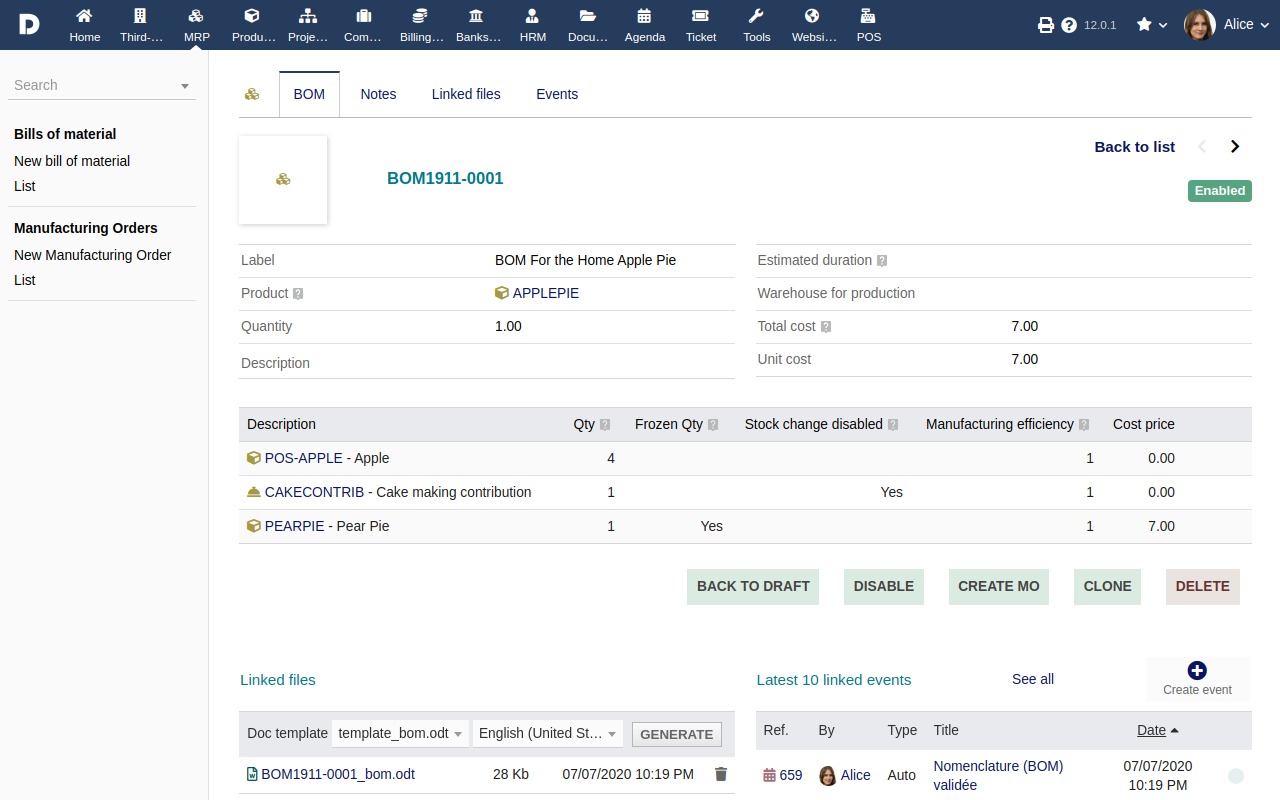
Last post by admin - Nov 01, 2025, 08:04 PMBills of Materials (BOMs)
Define the raw materials and services required to produce a finished product.
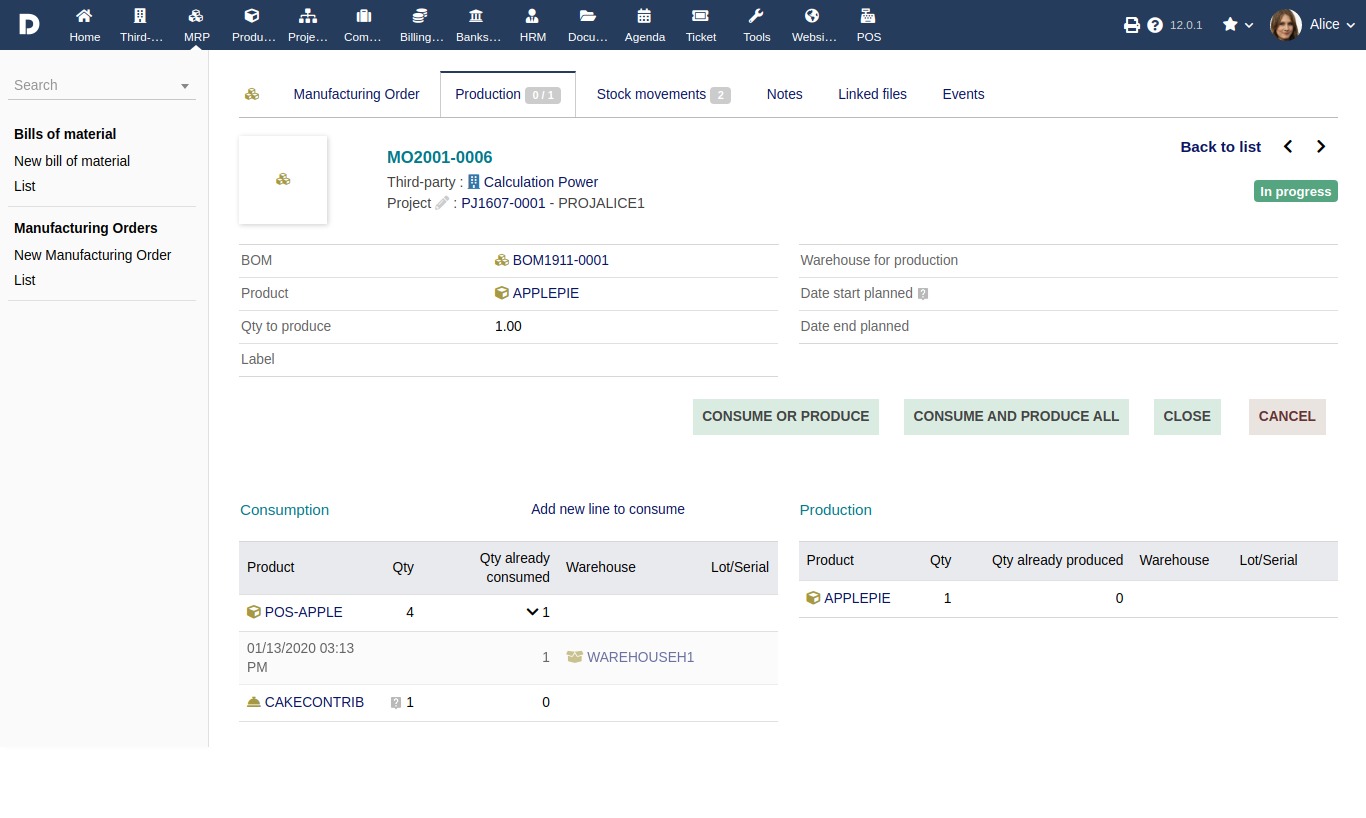
Manufacturing Orders
Create production orders for a specified quantity, which triggers the consumption of raw materials and the creation of the finished product.
Inventory Management
Decrements raw material stock upon manufacturing order validation and creates the new finished product stock.
Lot and Serial Number Tracking
Allows for the management and tracking of specific production lots and serial numbers.
Stock Movement Tracking
Records stock movements associated with each lot, providing a detailed history of production and consumption.
Custom fields
Allows for the addition of custom fields to BOMs and manufacturing orders to capture specific data.
External systems
Can be extended or integrated with external systems for more complex needs.
DoliStore extensions
Additional modules are available on the DoliStore for more specific features, such as the advanced "Factory" module which adds features like product composition management and internal/external manufacturing planning
#23
Shipments / Ship / Track Orders
Last post by admin - Nov 01, 2025, 07:58 PMCreate and manage shipments
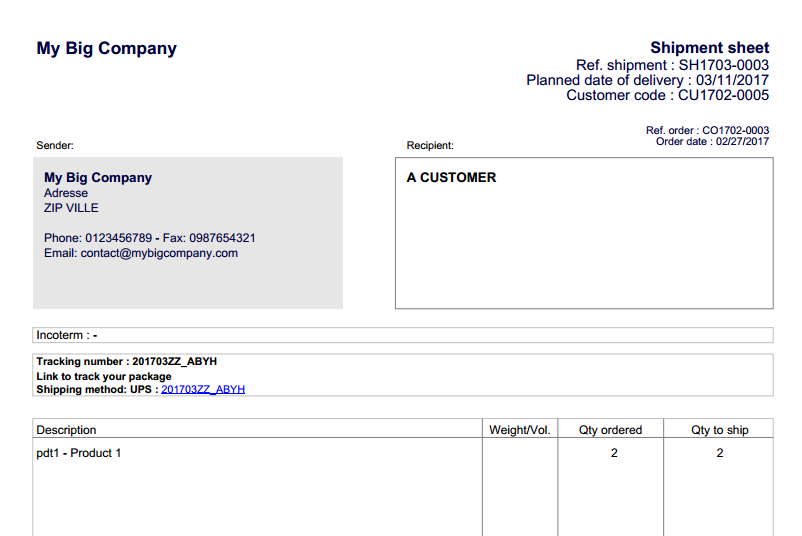
Generate a shipment (delivery note) directly from a sales order.
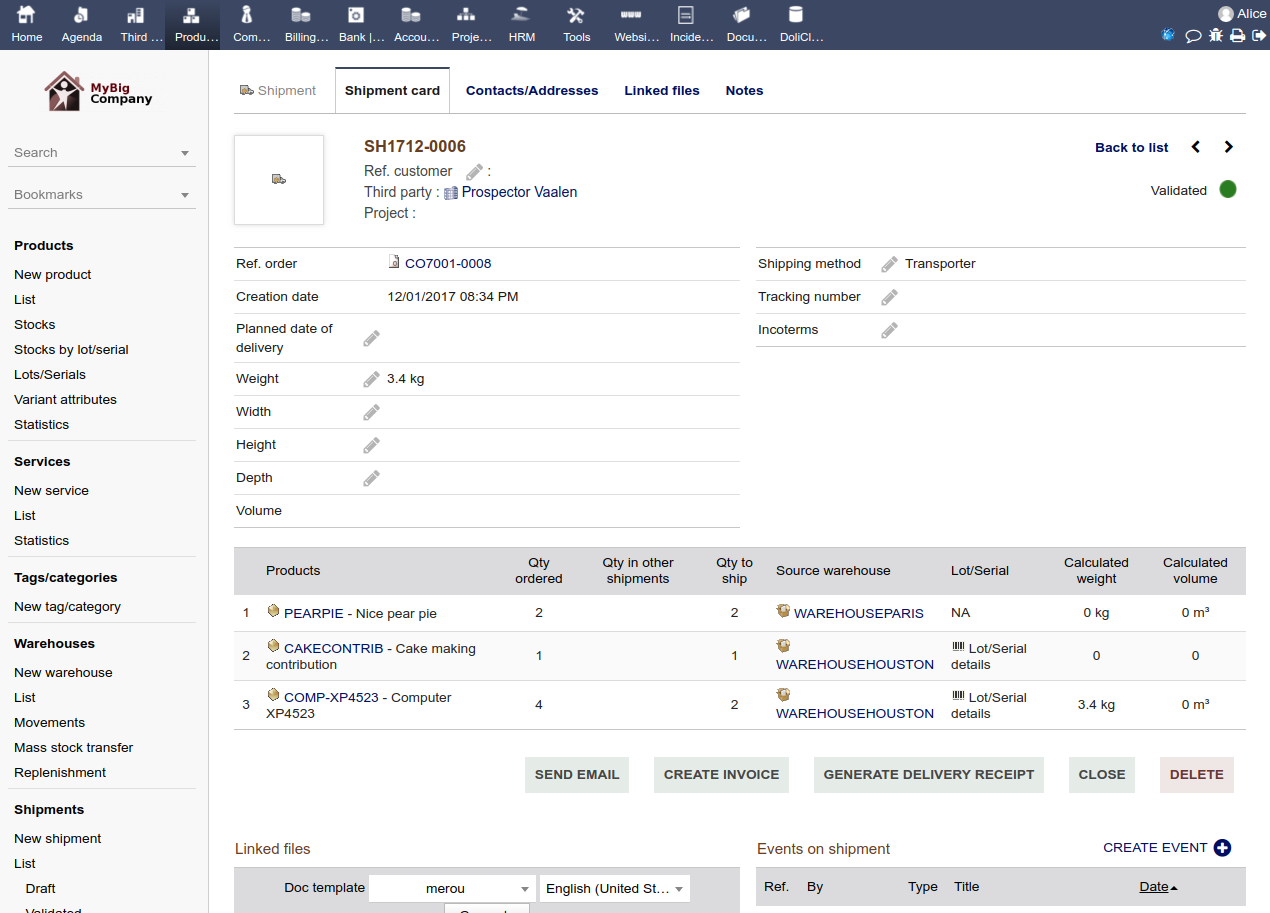
Track delivery status
Monitor which quantities have been dispatched and which are still pending.
Generate documents
Create and print packing slips, delivery notes, and summary reports of shipments.
Update inventory
Automatically update stock levels when a new shipment is validated.
Link to other modules
Streamline workflow
Provides a centralized way to manage loading and delivery operations, helping to optimize inventory and order management.
Record stock movements
Directly link stock movement to specific shipments for clear tracking.
Generate a shipment (delivery note) directly from a sales order.
Track delivery status
Monitor which quantities have been dispatched and which are still pending.
Generate documents
Create and print packing slips, delivery notes, and summary reports of shipments.
Update inventory
Automatically update stock levels when a new shipment is validated.
Link to other modules
- Invoicing: Generate invoices automatically after a delivery is created.
- Transport: Link shipments to transporter tracking tools for real-time status updates.
Streamline workflow
Provides a centralized way to manage loading and delivery operations, helping to optimize inventory and order management.
Record stock movements
Directly link stock movement to specific shipments for clear tracking.
#24
Purchase & Supply / Purchase Orders & Supply
Last post by admin - Nov 01, 2025, 05:40 PMPurchase order management:
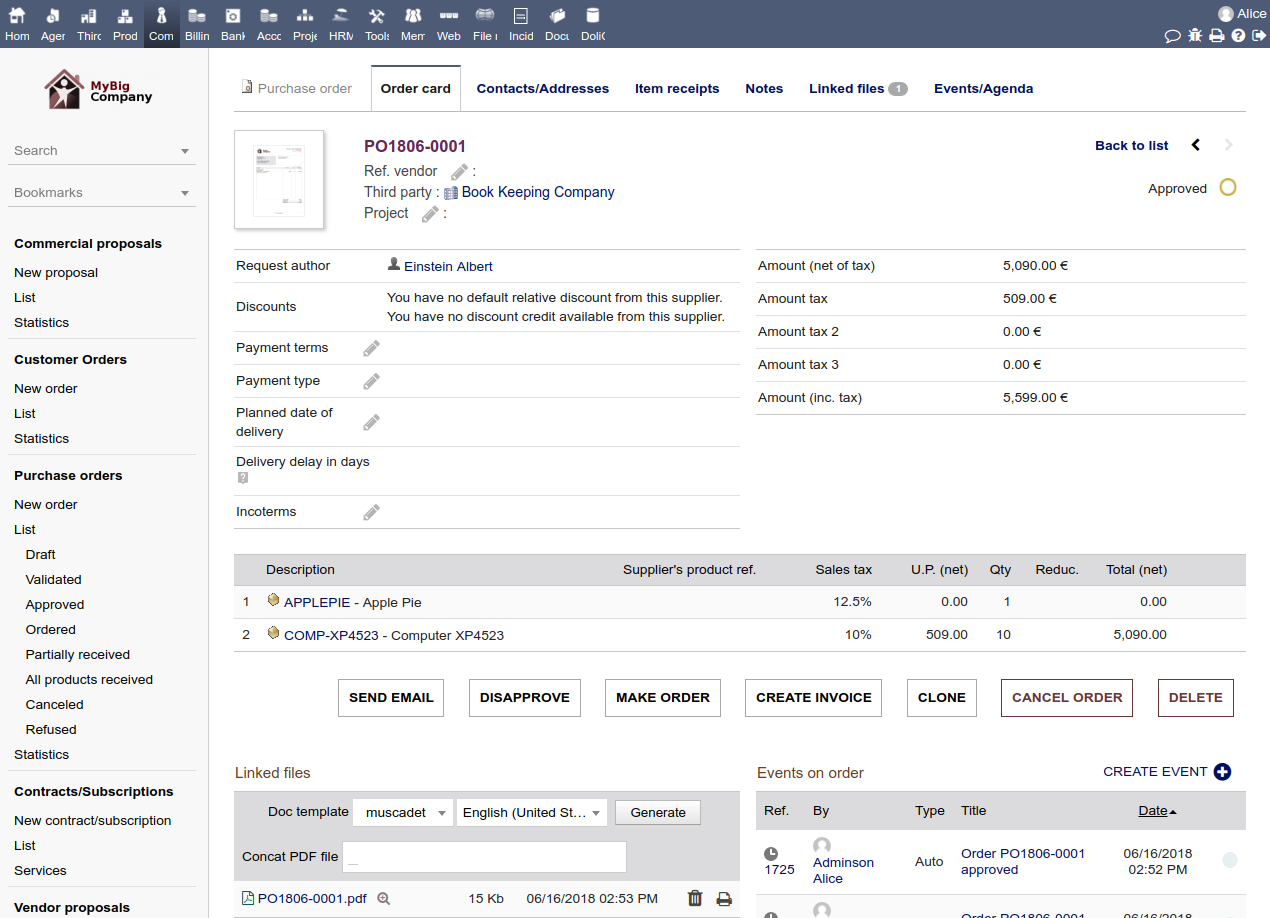
- Generate and send purchase orders (POs) directly to suppliers.
- Track POs through various statuses, such as draft, validated, and received.
- Create supplier orders from the supplier file or based on restocking needs.
Supplier management:
- Maintain a centralized database of supplier contact details, payment terms, and other information.
- Compare prices and terms from different suppliers.
- Track supplier performance, such as delivery timelines.
Inventory and stock control:
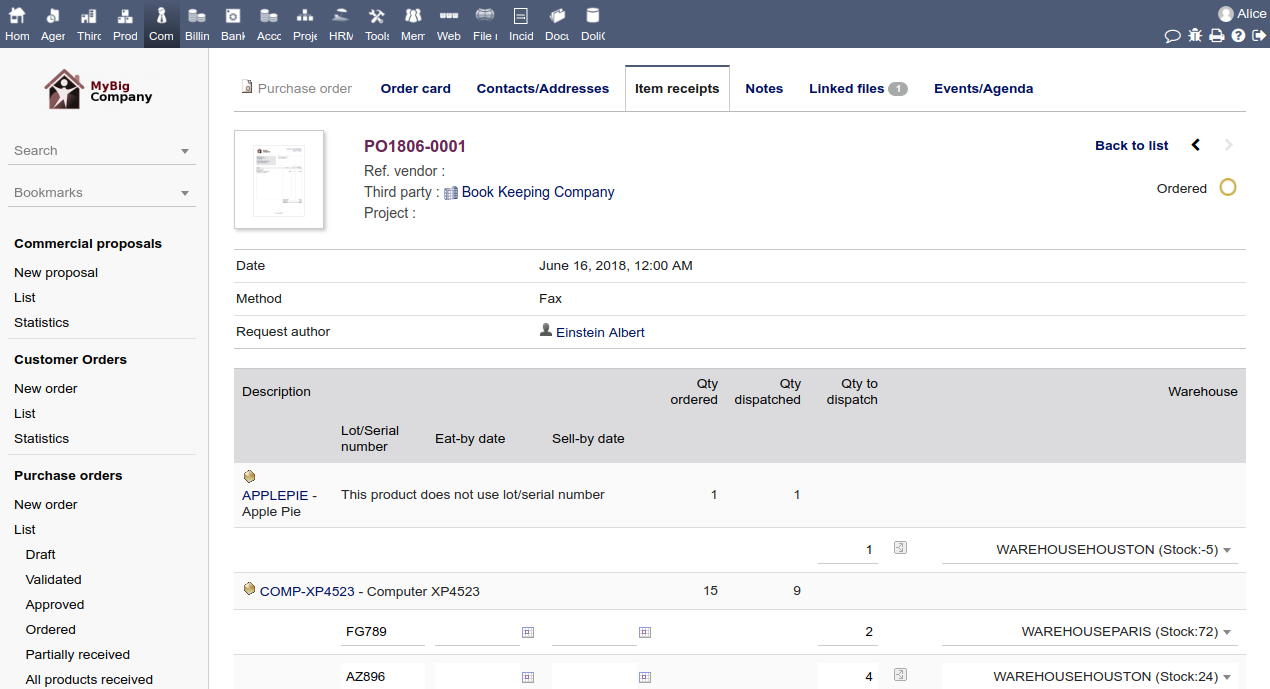
- Receive products and update stock levels automatically.
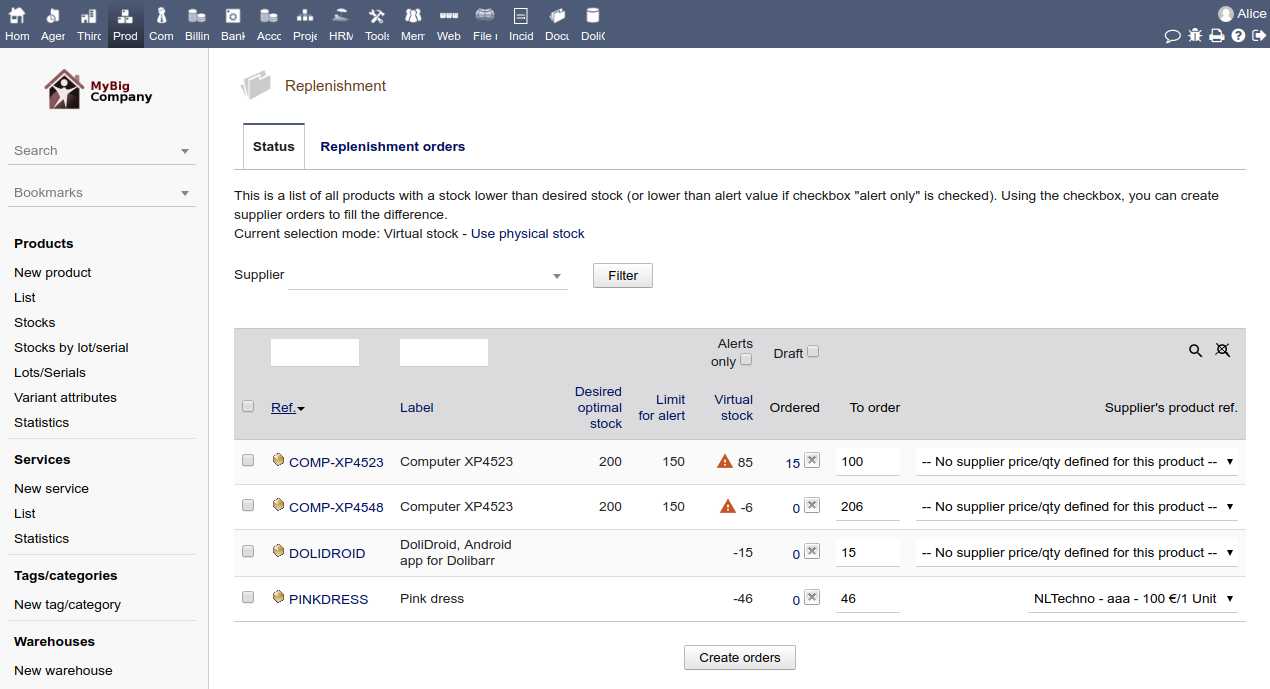
- Automate the generation of purchase orders to restock warehouses based on optimal quantities and customer orders.
Reporting and analysis:
- Generate reports on purchase orders, supplier performance, and spending.
- Analyze purchasing patterns to improve forecasting.
Price and offer comparison:
- Compare prices from multiple suppliers, even in different currencies.
- Save and compare different supplier quotes directly within the system.
#25
Stock & Warehouse Management / Stock & Warehouse Management
Last post by admin - Oct 31, 2025, 07:27 PMInventory tracking
Monitors stock levels in real-time for various products, including the ability to manage different variants like size and color.
Multi-warehouse management
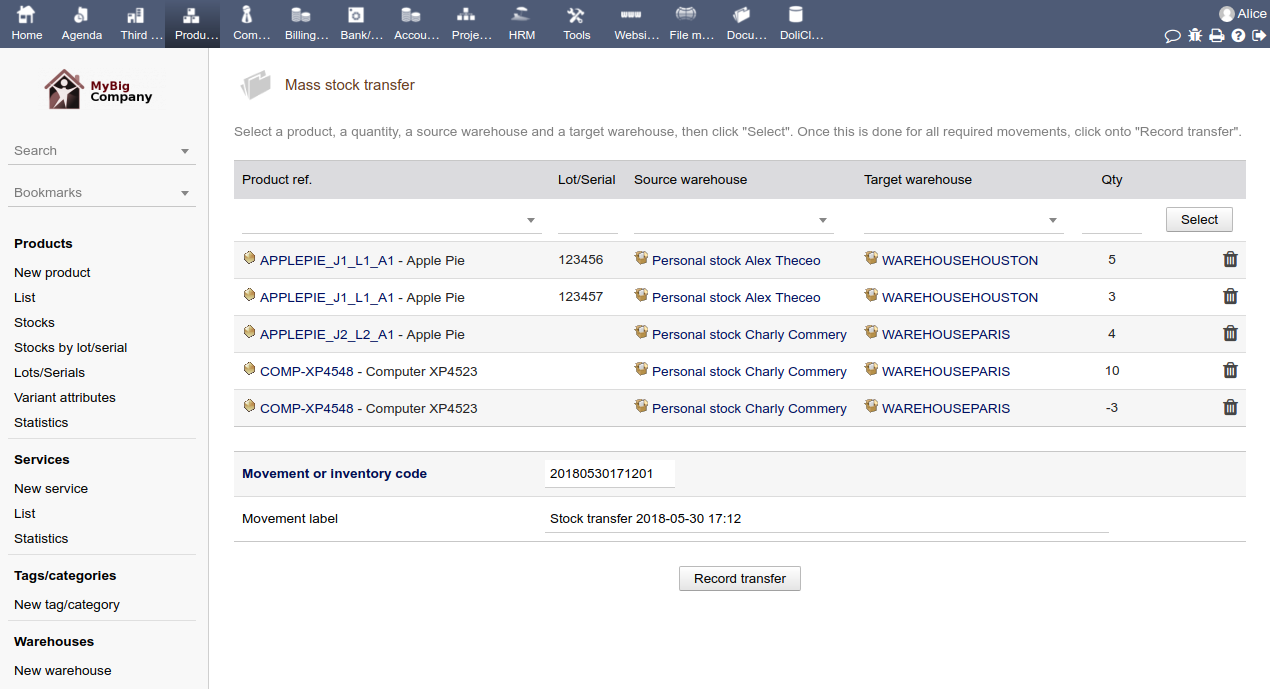
Supports managing stock across multiple physical warehouses and locations.
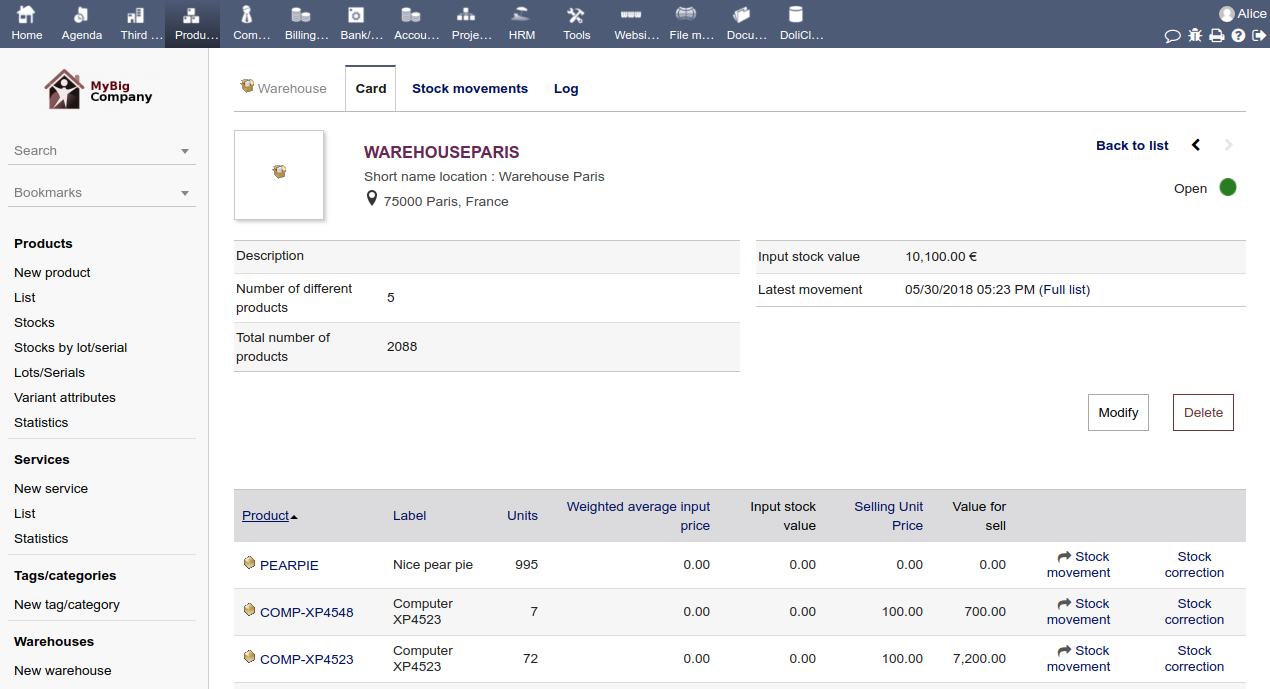
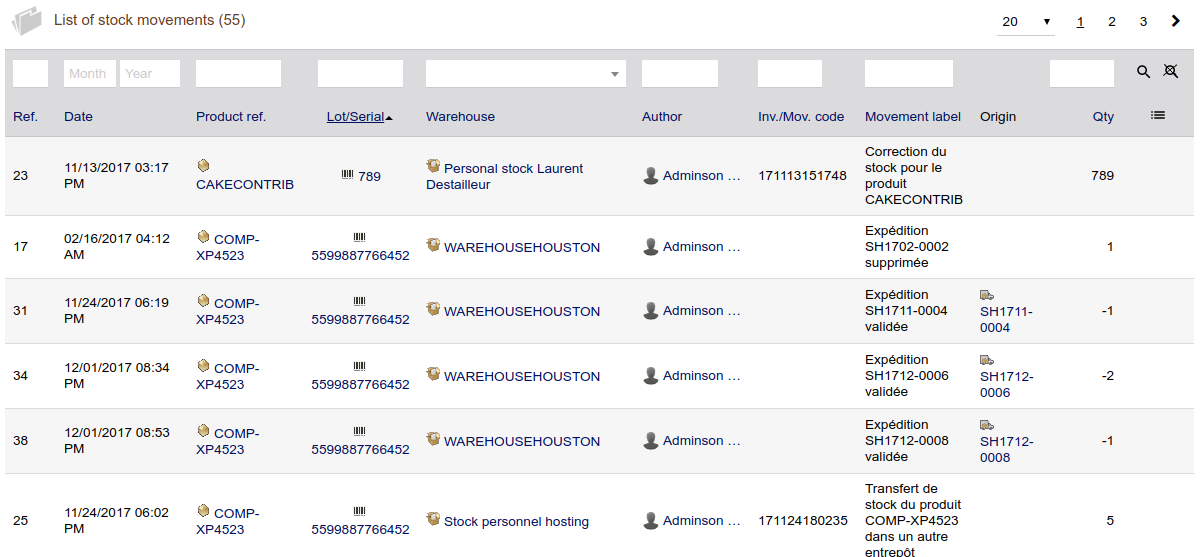
Stock movement tracking
Records and tracks all stock entries, shipments, and internal transfers, providing a history of all movements.
Low-stock alerts
Allows users to set reorder points and receive automatic alerts when stock levels drop to a minimum threshold.
Product and service catalog
Enables the creation of detailed product sheets with descriptions, prices, and other specifications.
Order and delivery management
Integrates with sales and purchase order processes to manage incoming and outgoing orders.
Reporting and analytics
Generates reports on stock levels, movements, and valuations to help analyze performance.
Product traceability
Can track products by serial or batch number, which is useful for managing perishables with expiration dates.
eCommerce integration
Connects with e-commerce platforms to synchronize stock levels and process online orders automatically.
Barcode scanning
Supports picking and stock management using barcode scanners for increased efficiency.
Integration with other modules
Seamlessly integrates with other Dolibarr modules such as accounting, sales, procurement, and manufacturing to provide a holistic view of the supply chain.
#26
Products & Services / Products & Sevices
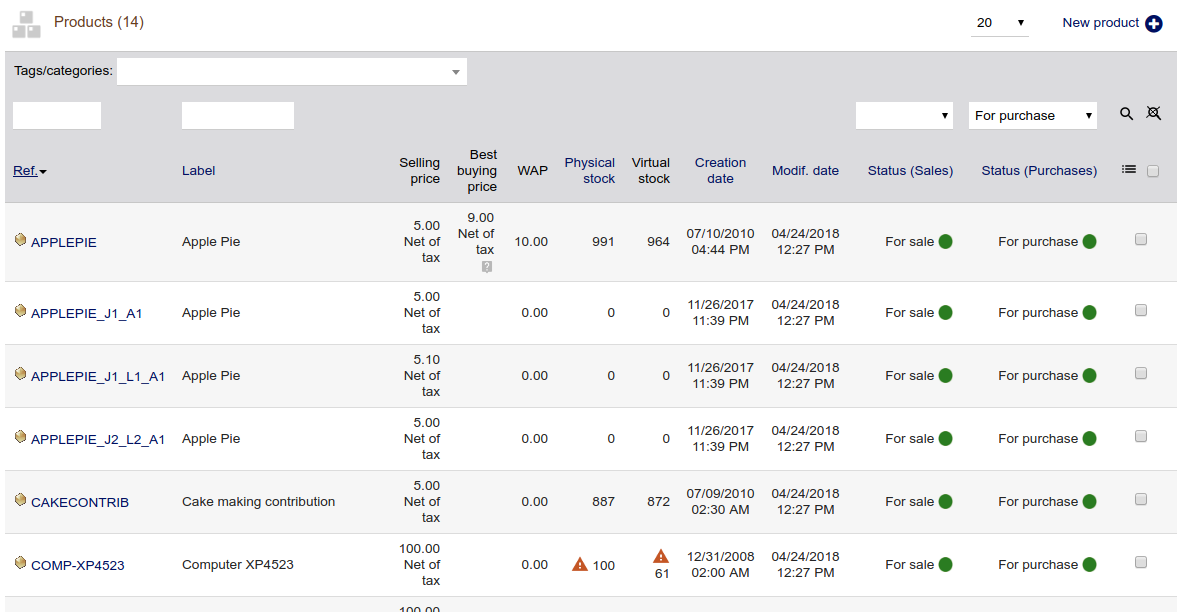
Last post by admin - Oct 31, 2025, 05:40 PMCatalog management
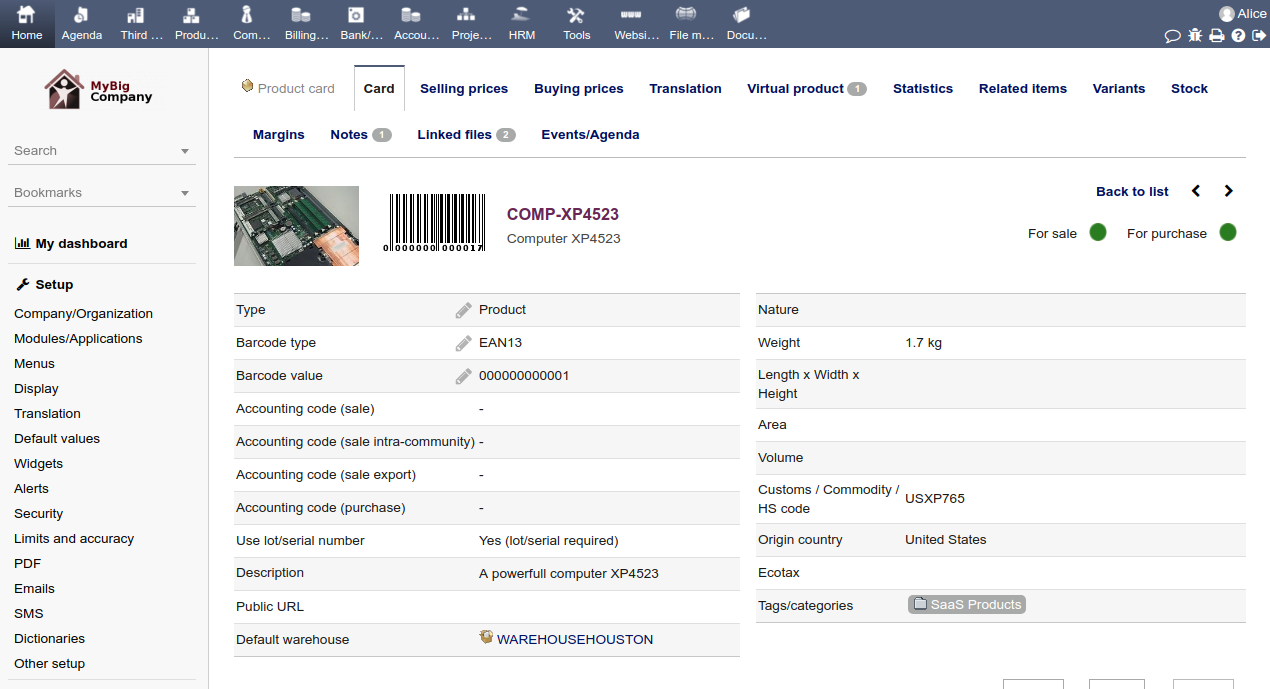
Create and manage detailed records for both physical products and intangible services.
Categorization
Organize items into categories and tags for easier navigation and reporting.
Stock control
Track stock levels, reorder points, and movements for physical products, with options for serial or lot number tracking.
Pricing flexibility
Set up various pricing structures, including different price levels and discounts.
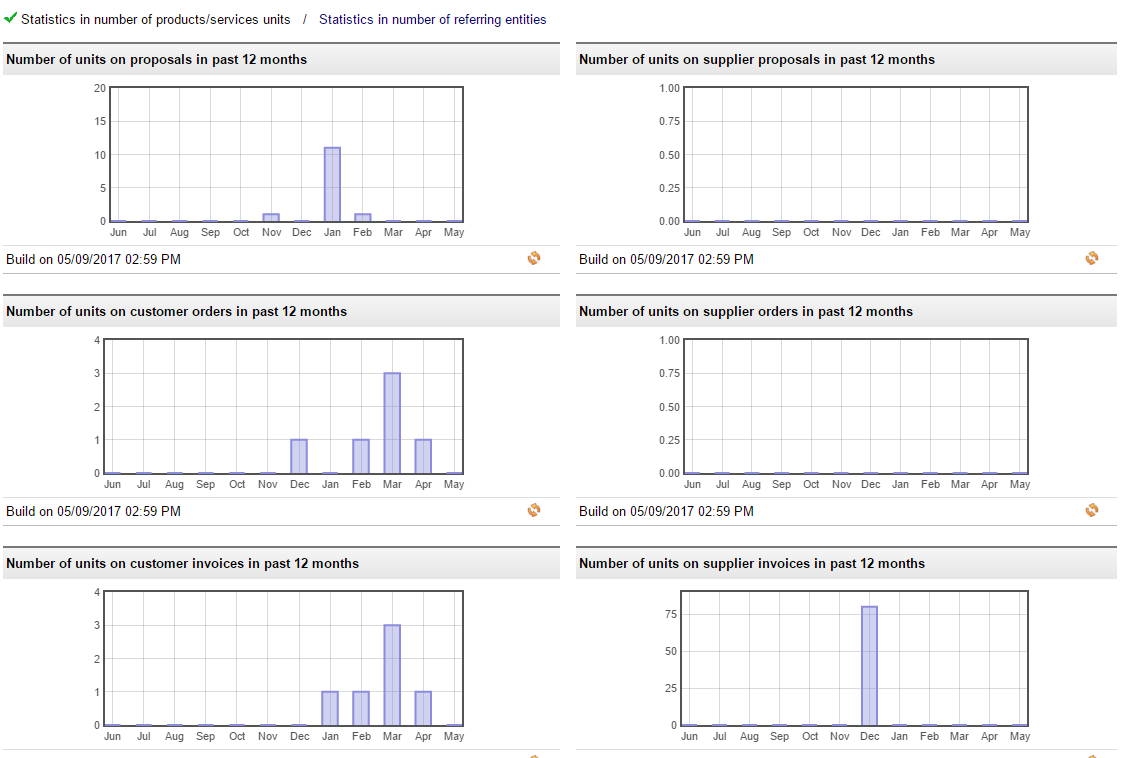
Product performance
Analyze sales performance, track profitability, and view data through graphs and tables.
Integration
Link products and services to other modules like sales, purchases, and projects for a streamlined workflow.
Bundling
Create bundles of multiple products or services.
Barcode support
Integrate barcodes for easier tracking and management.
Product vs. Service distinction
Products
These are tangible goods that can be stored and shipped, with properties like weight and size.
Services
These are intangible activities that are performed for a customer and cannot be stocked in a warehouse. They are often time-limited or a one-off event.
#27
Banking & Reconciliation / Banking & Reconciliation
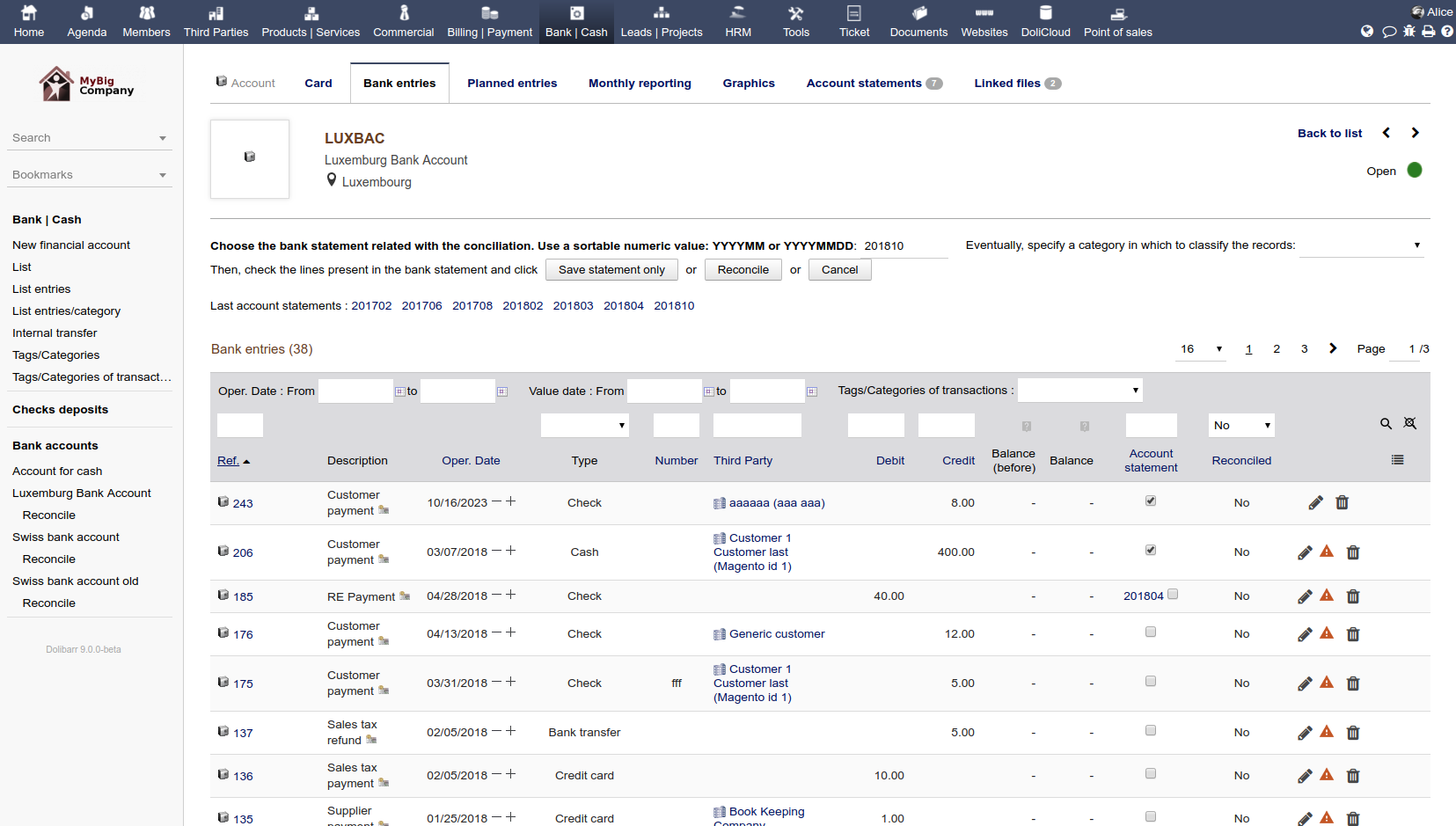
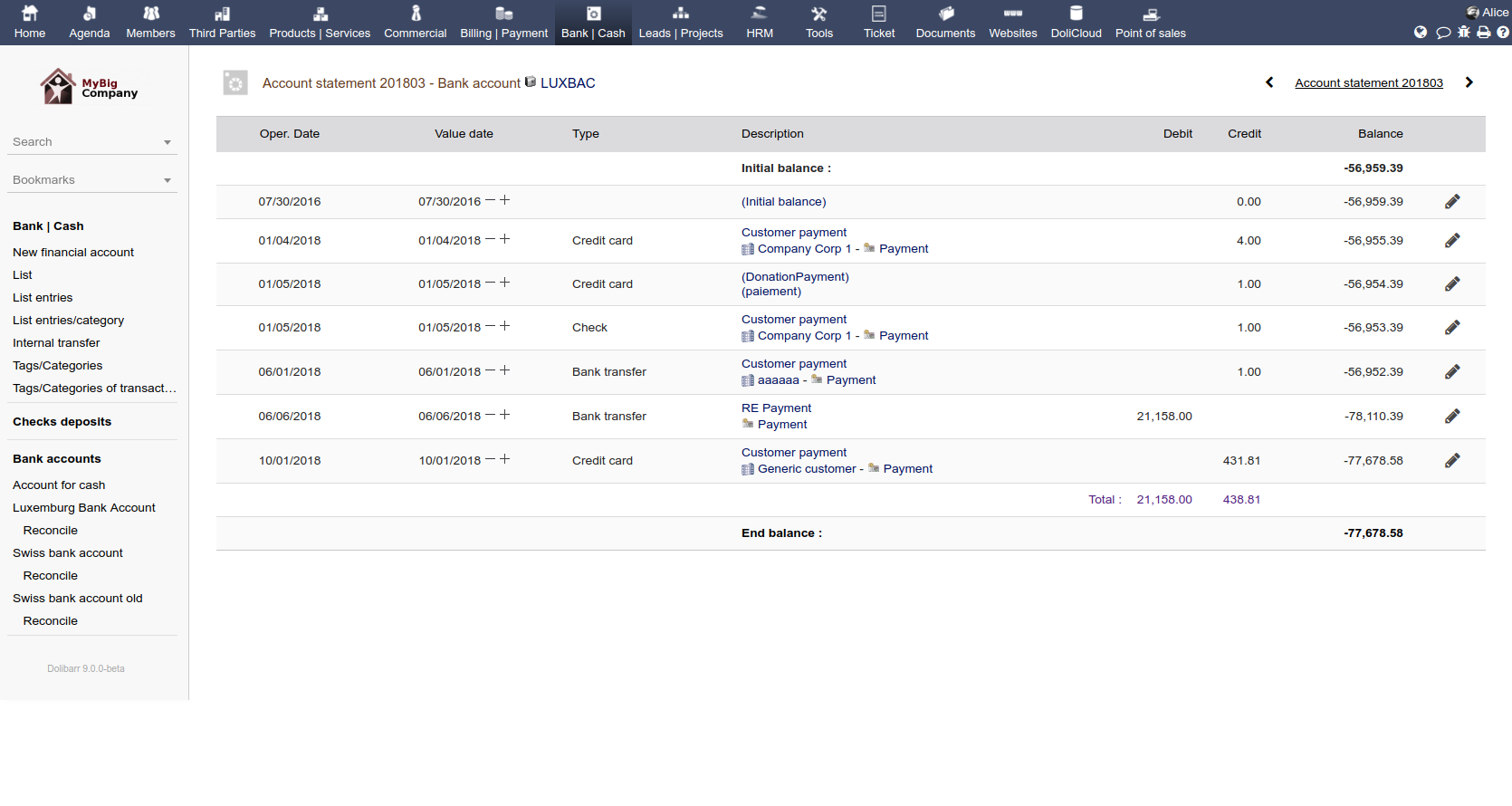
Last post by admin - Oct 31, 2025, 04:42 PMBank statement import
Users can upload bank statement files (CSV, OFX, etc.) to start the reconciliation process.
Automatic matching
The system attempts to automatically match imported bank transactions with existing invoices, payments, and expenses in Dolibarr.
Manual adjustment
Users can manually confirm or correct any mismatches the automatic process finds.
Transaction recording
It handles the recording of bank transactions, including manual entries and those generated from other modules like invoicing.
Discrepancy detection
The module helps detect errors, missing payments, or typing mistakes by highlighting differences between bank statements and internal records.
Data export
It allows for the one-click export of reconciled bank receipts for an accountant.
Automation
It can automate payment entries based on bank statements, saving significant manual data entry time.
Integration
It integrates with other financial modules to record payments from invoices, track expenses, and generate financial reports like balance sheets and income statements.
Users can upload bank statement files (CSV, OFX, etc.) to start the reconciliation process.
Automatic matching
The system attempts to automatically match imported bank transactions with existing invoices, payments, and expenses in Dolibarr.
Manual adjustment
Users can manually confirm or correct any mismatches the automatic process finds.
Transaction recording
It handles the recording of bank transactions, including manual entries and those generated from other modules like invoicing.
Discrepancy detection
The module helps detect errors, missing payments, or typing mistakes by highlighting differences between bank statements and internal records.
Data export
It allows for the one-click export of reconciled bank receipts for an accountant.
Automation
It can automate payment entries based on bank statements, saving significant manual data entry time.
Integration
It integrates with other financial modules to record payments from invoices, track expenses, and generate financial reports like balance sheets and income statements.
#28
Billing & Payments / Invoices & Payments
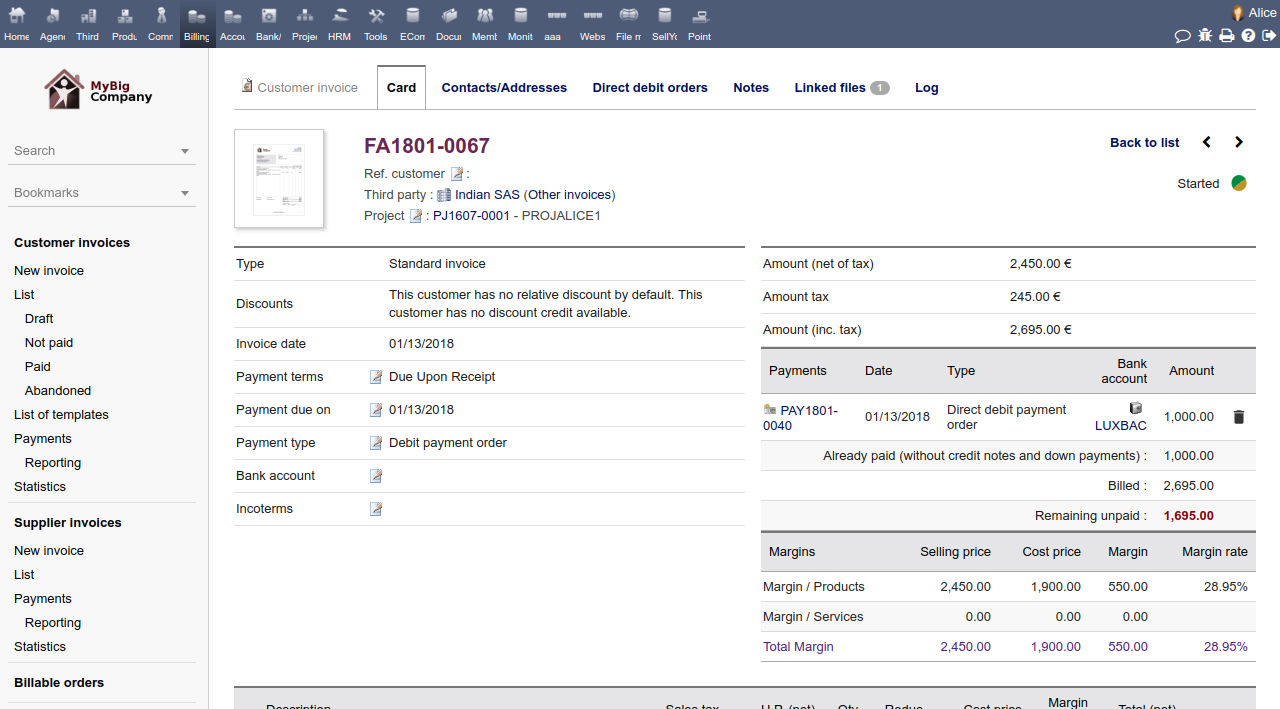
Last post by admin - Oct 31, 2025, 04:20 PMInvoice Creation
Manually create invoices, convert approved quotes into invoices, or use batch invoicing to combine multiple orders into one invoice.
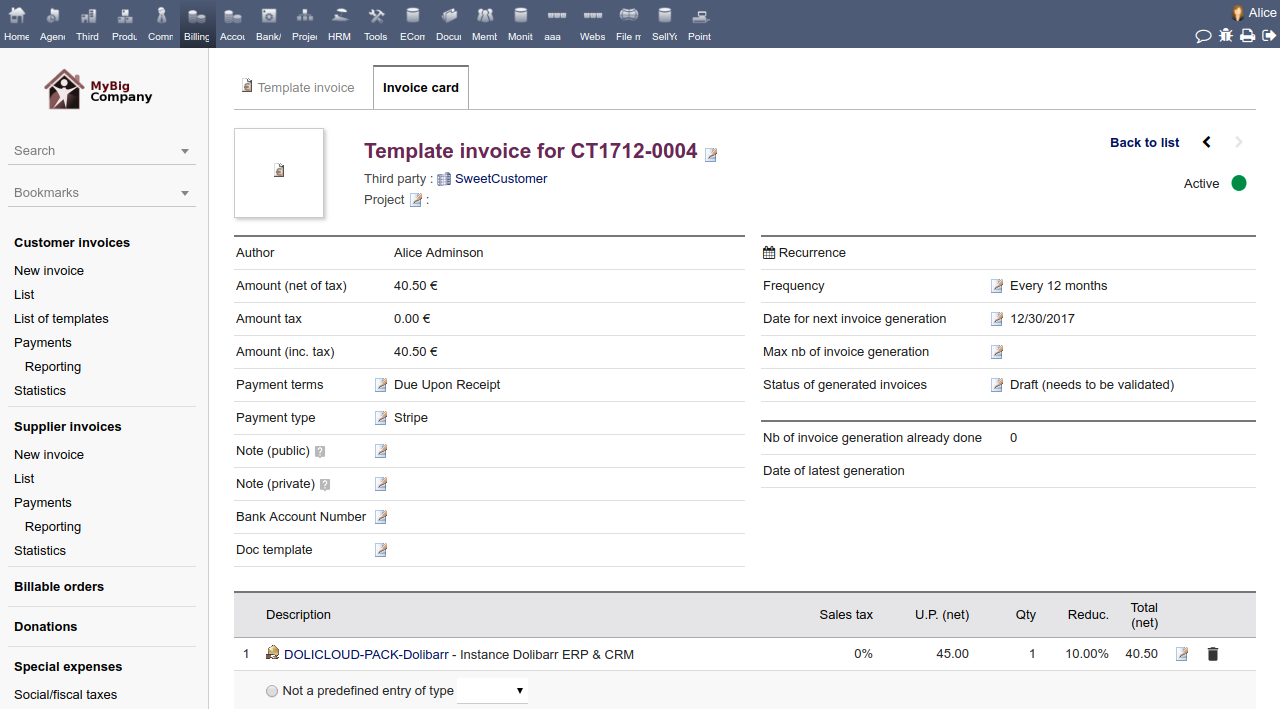
Recurring invoices
Set up recurring invoices for subscriptions and services to be generated automatically on a set schedule (daily, weekly, monthly, or yearly).
Payment tracking
Monitor the status of invoices in real-time (paid, pending, overdue) and record partial payments.
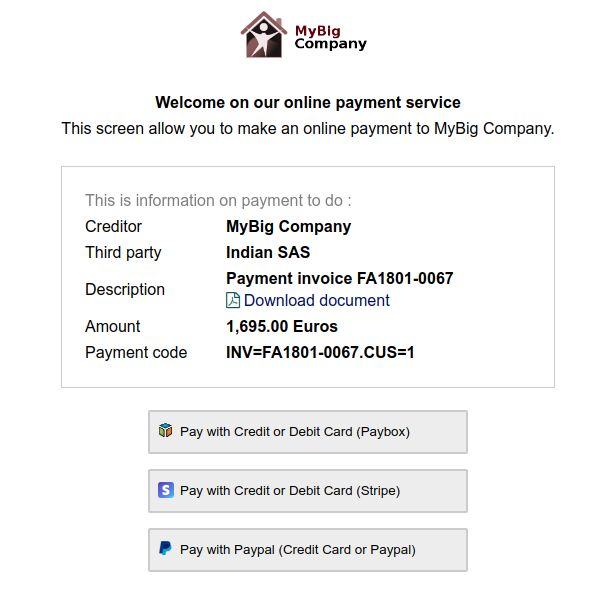
Online payment integration
Connect with payment gateways like PayPal or Stripe to allow customers to pay invoices directly online.
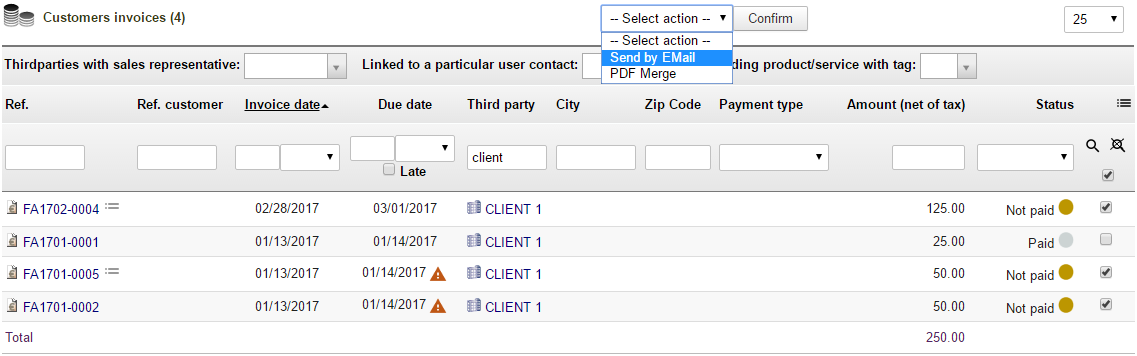
Automated reminders
Configure automated emails with payment links for overdue invoices.
Bank reconciliation
Track all payments and reconcile bank statements by importing bank statement files to match payments with invoices.
Multi-currency and multi-language support
Handle transactions and generate invoices in different currencies and languages.
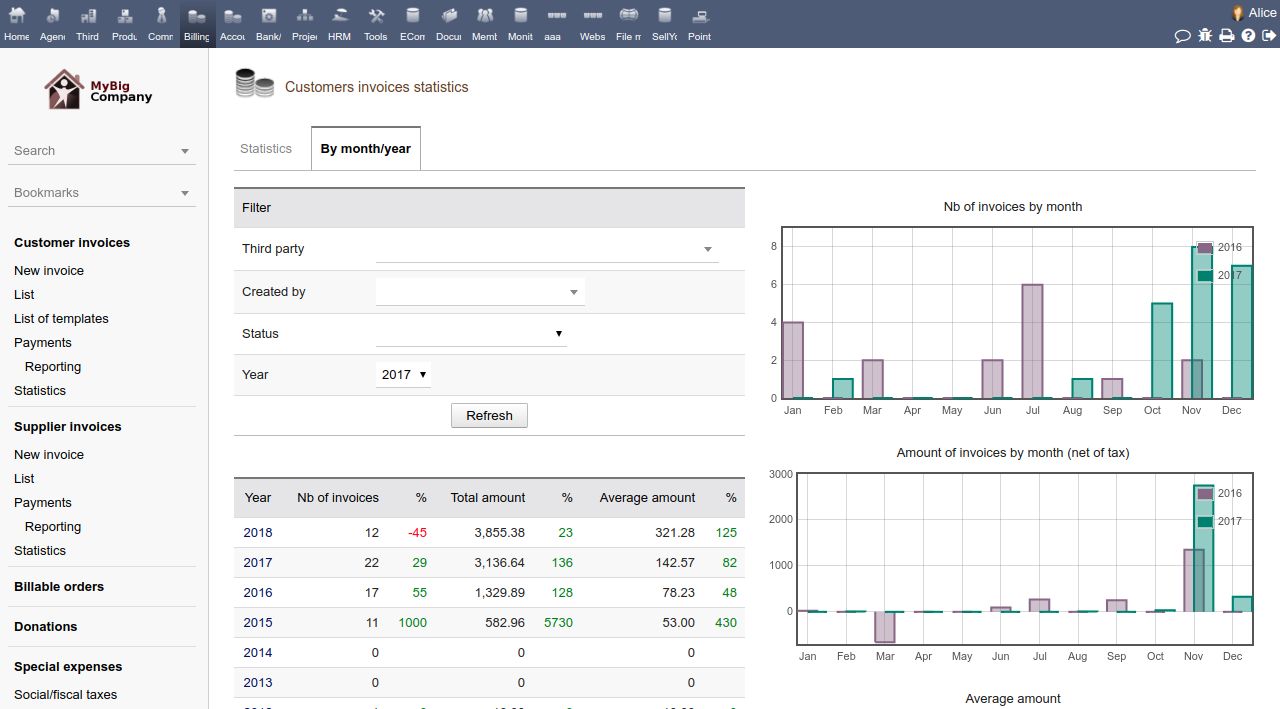
Reporting and export
Generate reports and export invoice and payment data for accounting purposes.
Integration
Seamlessly integrates with other Dolibarr modules, such as customer management, stock, and accounting.
#29
Contracts & Subscriptions / Customer / Supplier Contracts ...
Last post by admin - Oct 30, 2025, 09:38 PMAutomated invoicing
Automatically generates and sends recurring invoices based on predefined schedules and contract terms.
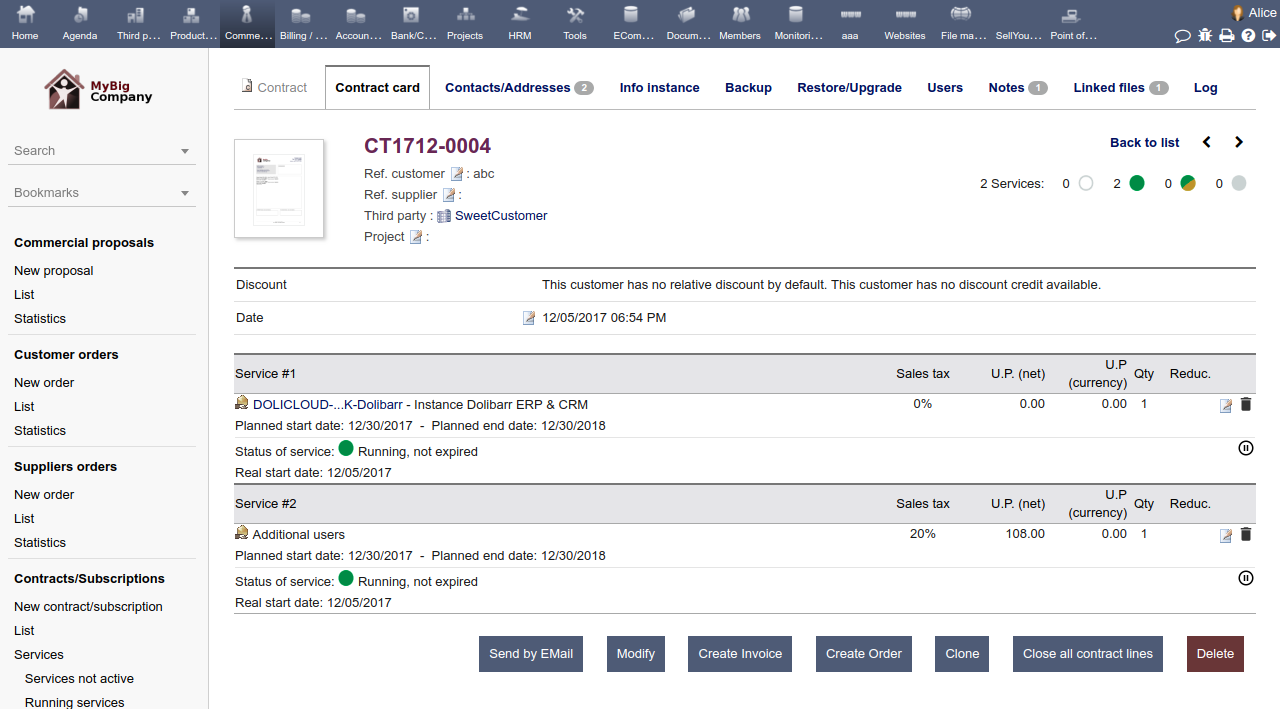
Contract management
Allows for the creation and customization of contracts that can be linked to customers, services, and projects.
Renewal tracking
Monitors contract periods and provides automated reminders for upcoming renewals or expiration.
Invoice customization
Lets you define billing frequency (monthly, quarterly, etc.) and create standard invoice models.
Integration
Can be integrated with other modules for a unified view of customer information, projects, and services.
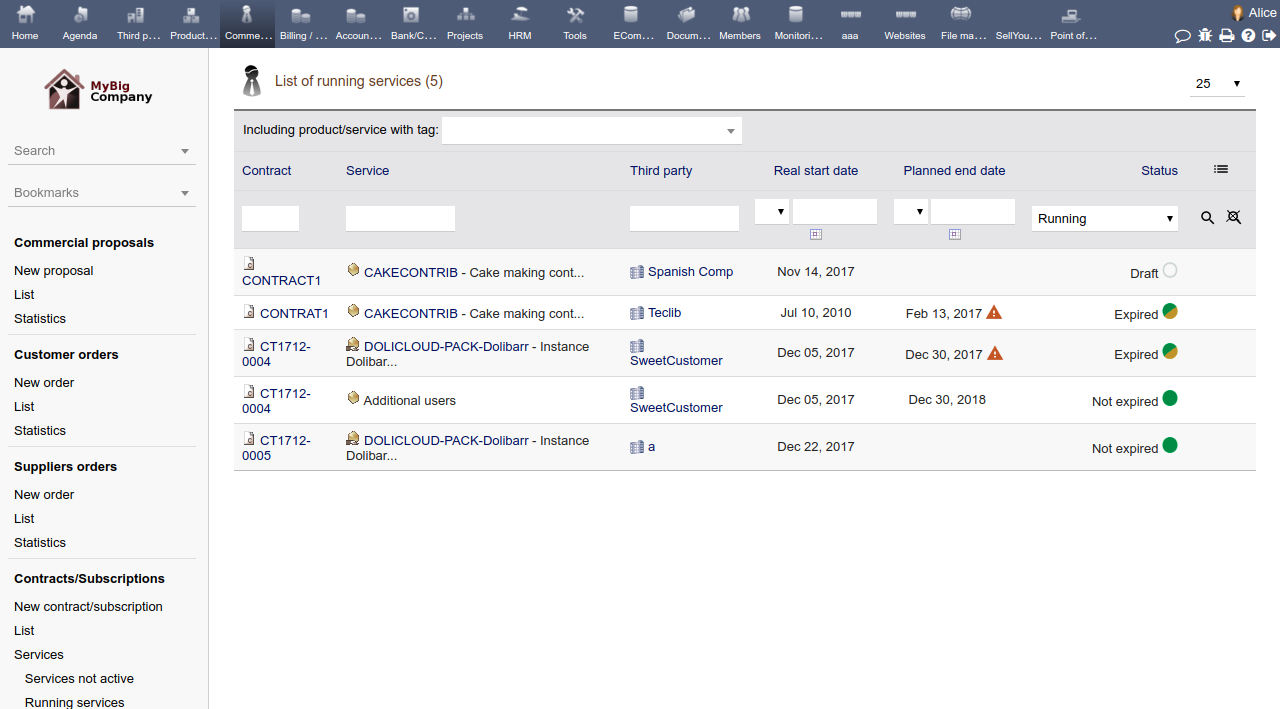
Payment automation
Can integrate with payment gateways like Stripe or PayPal to automate the payment process.
Reporting
Generates reports on contract performance, revenue, and renewal rates.
Flexibility
Allows for creating tiered pricing, trial periods, and promotional offers within a subscription plan.
Notifications
Can send automated email reminders for due payments or upcoming renewals.
#30
Sale Orders / Sales Orders Management
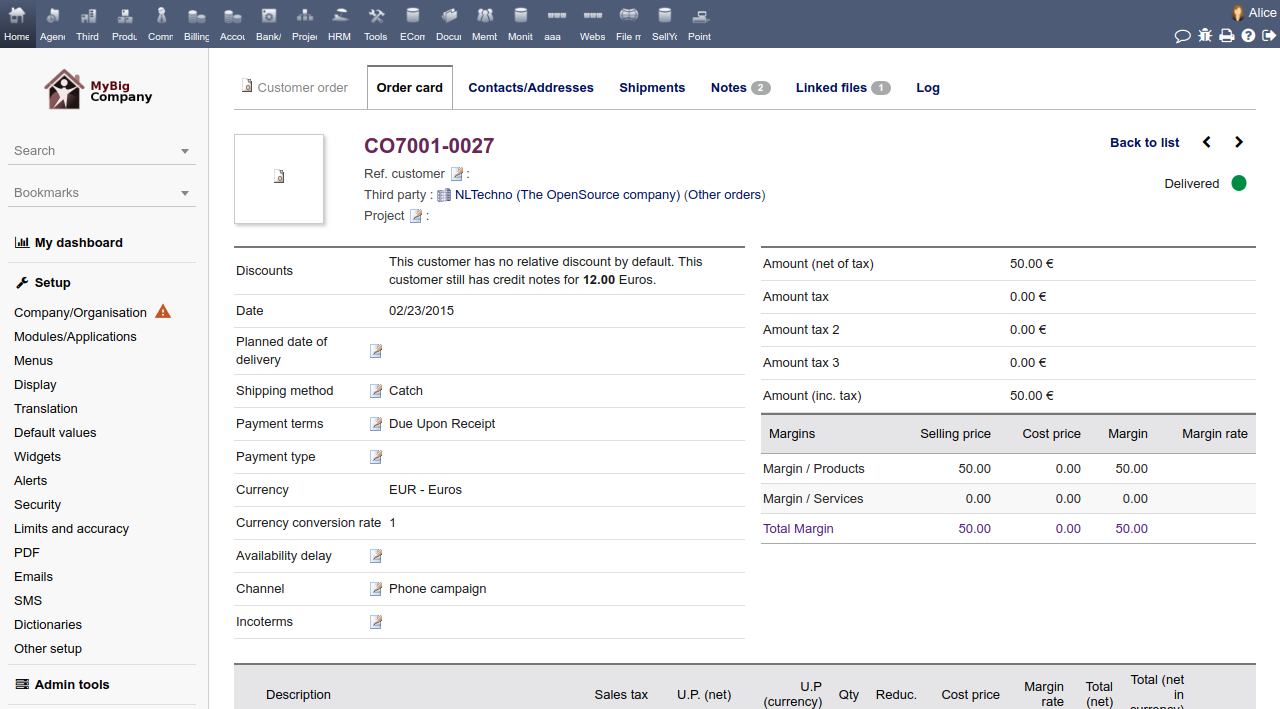
Last post by admin - Oct 30, 2025, 09:10 PMOrder Creation
Easily create new sales orders from scratch or convert an accepted commercial proposal (quotation) or contract into a sales order with a single click, saving time and ensuring data consistency.
Product/Service Integration
Add predefined products and services to orders, managing item details like price, quantity, and VAT. It supports product variants and links with stock management to automatically update inventory levels upon order processing or shipment.
Status Management
Track the status of orders throughout their lifecycle (e.g., draft, validated, delivered, processed, canceled).
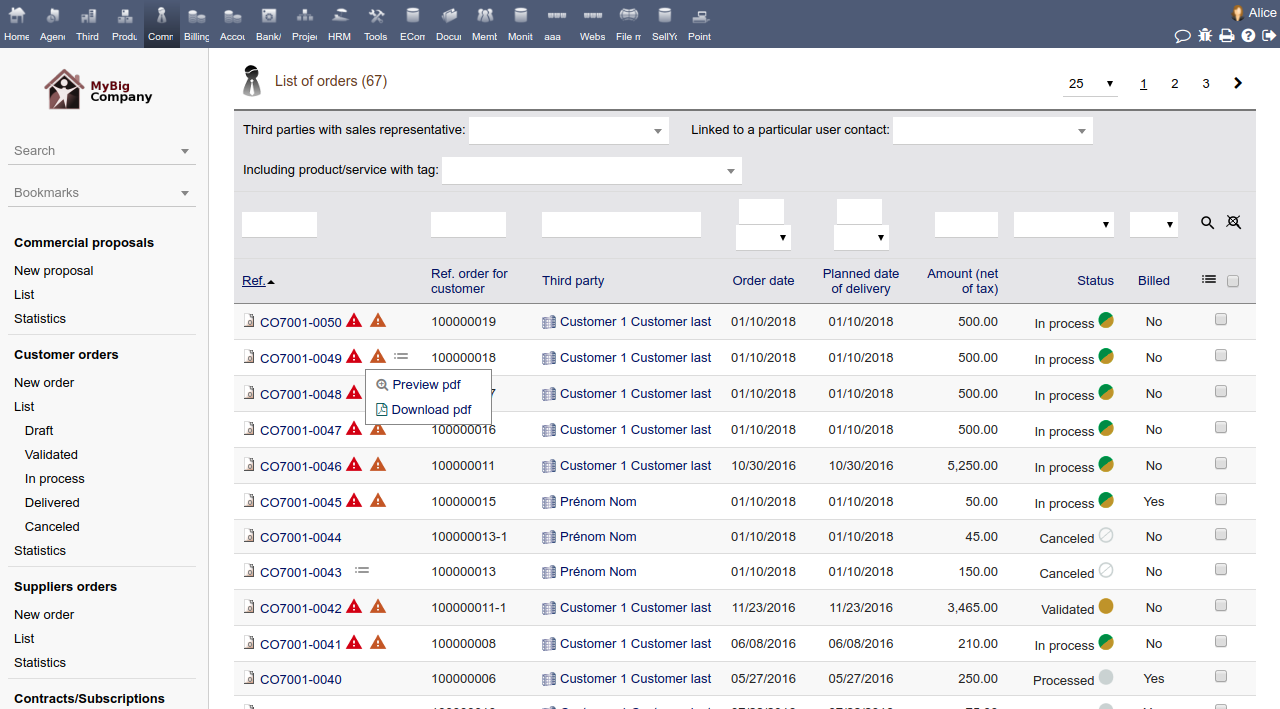
Automated Document Generation
Automatically generate and update professional PDF documents for order confirmations and packing slips (delivery notes).
Email Integration
Send order acknowledgments and other related communications directly to customers via email from within the application, using predefined email templates.
Workflow Integration
- Invoicing: Generate one or multiple customer invoices directly from a validated or delivered order.
- Shipment: If the Shipment module is enabled, generate one or several shipment receipts to manage product delivery.
- Stock Management: Automatically manage stock movements (increase/decrease) as orders are processed and shipped.
Customization and Reporting
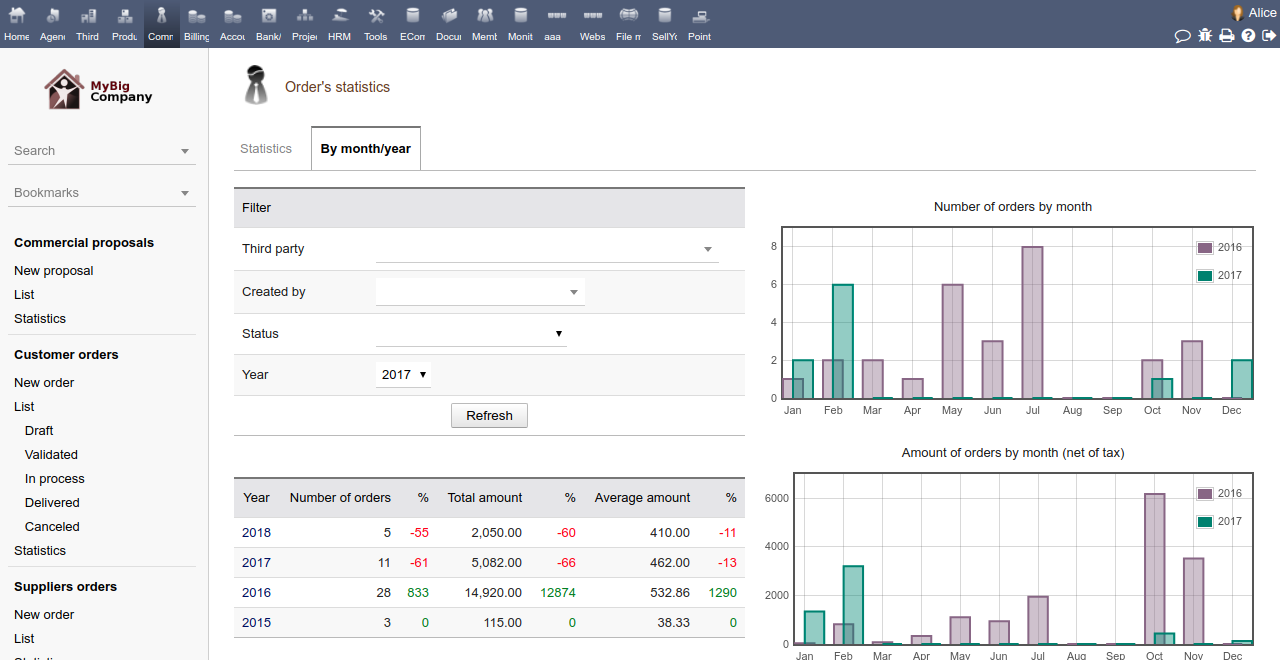
Add custom fields to order forms to meet specific business needs, filter and sort order lists based on various criteria, and use predefined statistics pages to analyze sales performance.
Margin Analysis
When the Margin module is enabled, users can review the profitability and calculated margin on their orders.