- Welcome to Dolibarr ERP / CRM.


Recent posts
#11
Help Desk / Tickets / Help Desk / Tickets
Last post by admin - Nov 06, 2025, 09:20 PMTicket creation
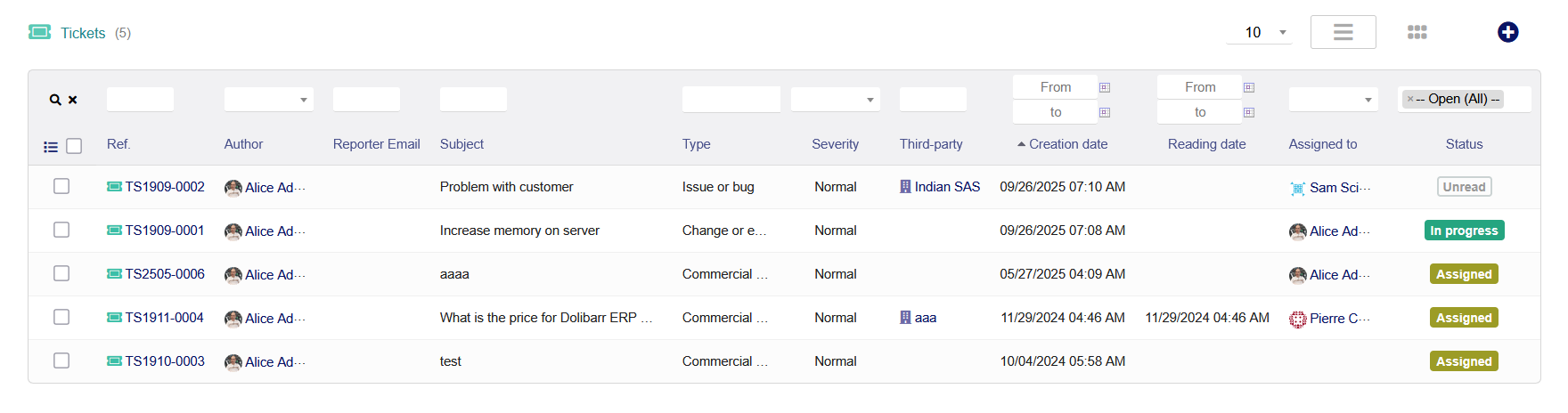
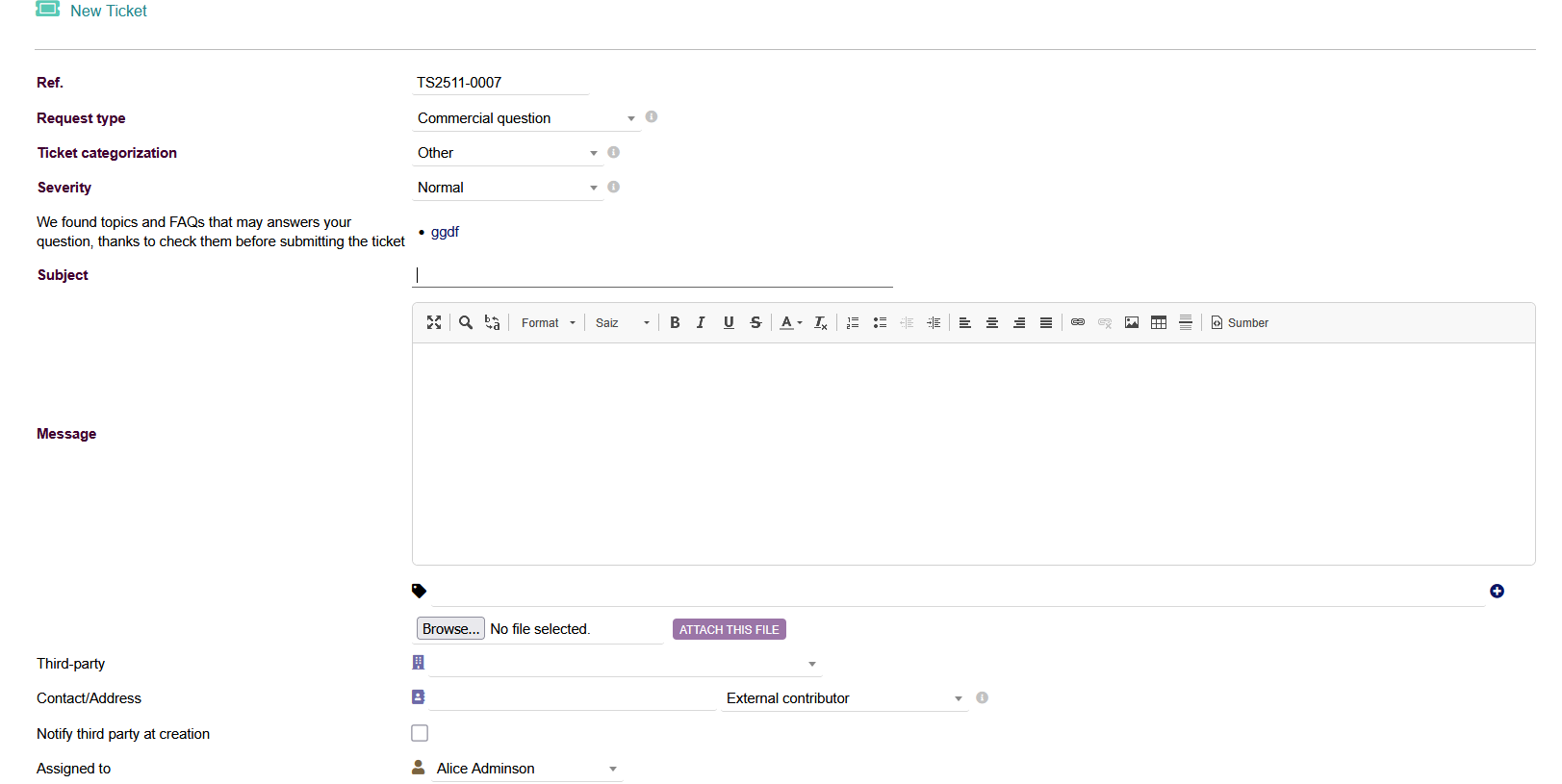
Users can create tickets through the internal Dolibarr interface, by email, or via a public interface for customers.
Customization
Administrators can set up different categories, types, and severity levels to classify tickets.
Assignment and routing
Tickets can be assigned to internal users based on their availability and expertise.
Email notifications
The system can automatically notify users when a ticket is assigned to them or updated, and can send status updates to the ticket opener.
Tracking and logging
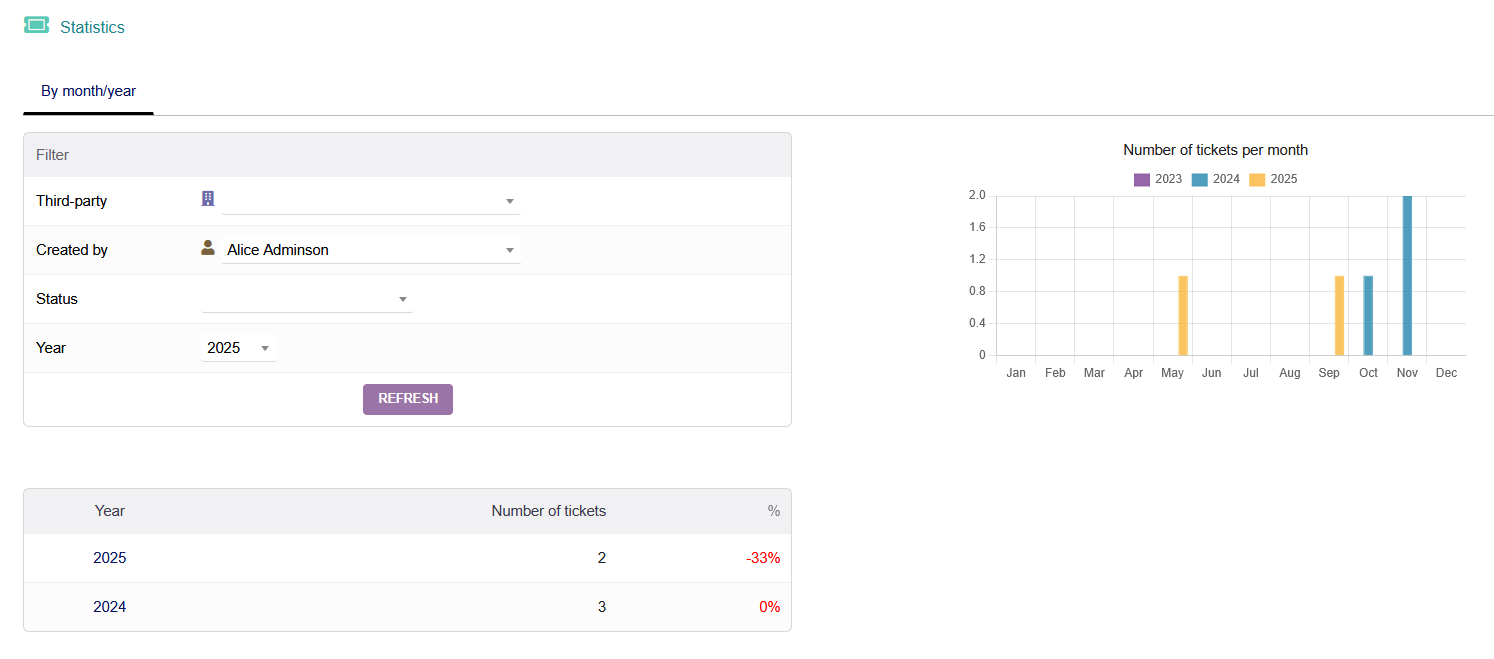
All actions on a ticket, including messages, status changes, and time spent, are recorded and logged.
Time tracking
Users can add records to a ticket and log the time they spend on it.
Integration
The module integrates with other Dolibarr features, such as third-party records (clients/users), the Agenda module, and can use email templates for responses.
Reporting
Administrators can generate reports on team performance, such as average ticket resolution time and number of tickets handled.
Users can create tickets through the internal Dolibarr interface, by email, or via a public interface for customers.
Customization
Administrators can set up different categories, types, and severity levels to classify tickets.
Assignment and routing
Tickets can be assigned to internal users based on their availability and expertise.
Email notifications
The system can automatically notify users when a ticket is assigned to them or updated, and can send status updates to the ticket opener.
Tracking and logging
All actions on a ticket, including messages, status changes, and time spent, are recorded and logged.
Time tracking
Users can add records to a ticket and log the time they spend on it.
Integration
The module integrates with other Dolibarr features, such as third-party records (clients/users), the Agenda module, and can use email templates for responses.
Reporting
Administrators can generate reports on team performance, such as average ticket resolution time and number of tickets handled.
#12
Double Entry Accounting / Double Entry Accounting
Last post by admin - Nov 04, 2025, 04:58 PMDouble-Entry Bookkeeping
Records every financial transaction with a corresponding debit and credit entry across at least two different accounts, ensuring the accounting equation (Assets = Liabilities + Equity) remains balanced and providing an accurate financial picture.
Automated Ledger Generation
Automatically dispatches data from existing records (invoices, payments, expense reports, etc.) into the appropriate ledger tables, so your accountancy can be done in a few clicks.
Customizable Chart of Accounts
Allows you to use a predefined chart of accounts or set up your own, in compliance with local accounting standards. Accounting numbers can be assigned to customers, vendors, products, and bank accounts.
Real-Time Reporting
Provides detailed financial reports, including balance sheets, profit and loss statements, and trial balances, for better decision-making.
Compliance Ready
Supports compliance with international accounting standards, making it suitable for businesses operating in various regions.
Journals Management
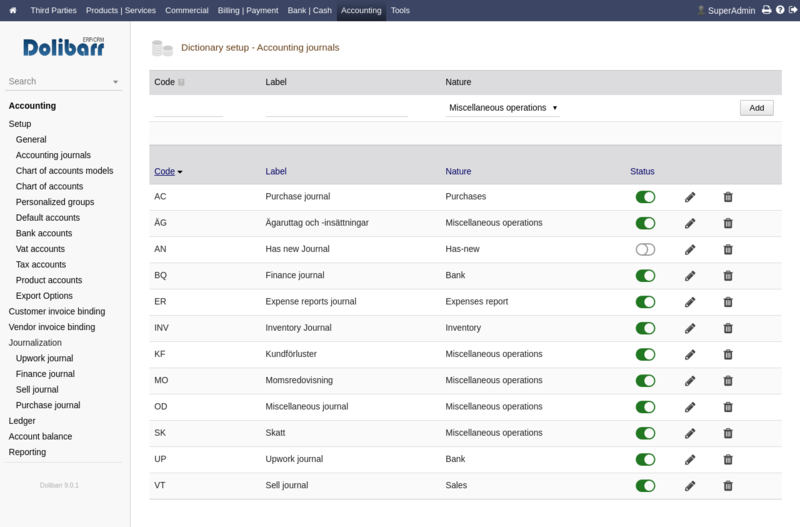
Supports grouping transactions into custom journals for better organization and tracking.
Data Validation and Error Tracking
Provides a wizard to review and validate all accounting records before they are added to the final ledger, helping to track and manually fix input errors.
Financial Reports and Analysis
Generates essential financial statements such as the trial balance, balance sheet, and profit & loss statements automatically.
Bank Reconciliation
Facilitates the reconciliation of bank statements with accounting records to ensure accuracy of cash flow tracking.
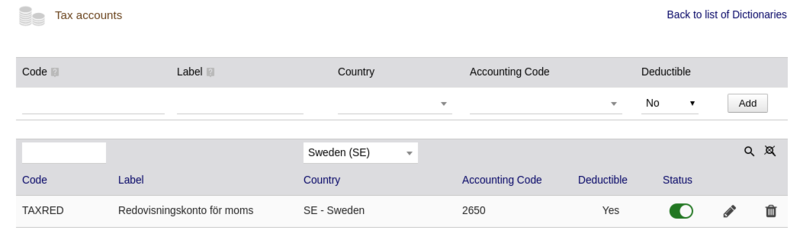
VAT and Tax Management
Helps set up and track applicable VAT rates and generate necessary tax reports for compliance.
Export Capabilities
Allows exporting the full ledger or filtered data into various predefined formats compatible with external accounting software (e.g., CSV, EBP, CogiLog, SAGE) for auditing or further analysis.
Accounting Lettering
Functionality to associate entries from the same customer or supplier account.
User-Friendly Interface
Offers an intuitive interface for both accountants and non-accountants, ensuring ease of use.
Records every financial transaction with a corresponding debit and credit entry across at least two different accounts, ensuring the accounting equation (Assets = Liabilities + Equity) remains balanced and providing an accurate financial picture.
Automated Ledger Generation
Automatically dispatches data from existing records (invoices, payments, expense reports, etc.) into the appropriate ledger tables, so your accountancy can be done in a few clicks.
Customizable Chart of Accounts
Allows you to use a predefined chart of accounts or set up your own, in compliance with local accounting standards. Accounting numbers can be assigned to customers, vendors, products, and bank accounts.
Real-Time Reporting
Provides detailed financial reports, including balance sheets, profit and loss statements, and trial balances, for better decision-making.
Compliance Ready
Supports compliance with international accounting standards, making it suitable for businesses operating in various regions.
Journals Management
Supports grouping transactions into custom journals for better organization and tracking.
Data Validation and Error Tracking
Provides a wizard to review and validate all accounting records before they are added to the final ledger, helping to track and manually fix input errors.
Financial Reports and Analysis
Generates essential financial statements such as the trial balance, balance sheet, and profit & loss statements automatically.
Bank Reconciliation
Facilitates the reconciliation of bank statements with accounting records to ensure accuracy of cash flow tracking.
VAT and Tax Management
Helps set up and track applicable VAT rates and generate necessary tax reports for compliance.
Export Capabilities
Allows exporting the full ledger or filtered data into various predefined formats compatible with external accounting software (e.g., CSV, EBP, CogiLog, SAGE) for auditing or further analysis.
Accounting Lettering
Functionality to associate entries from the same customer or supplier account.
User-Friendly Interface
Offers an intuitive interface for both accountants and non-accountants, ensuring ease of use.
#13
Agenda / Agenda Management
Last post by admin - Nov 04, 2025, 03:23 PMEvent management
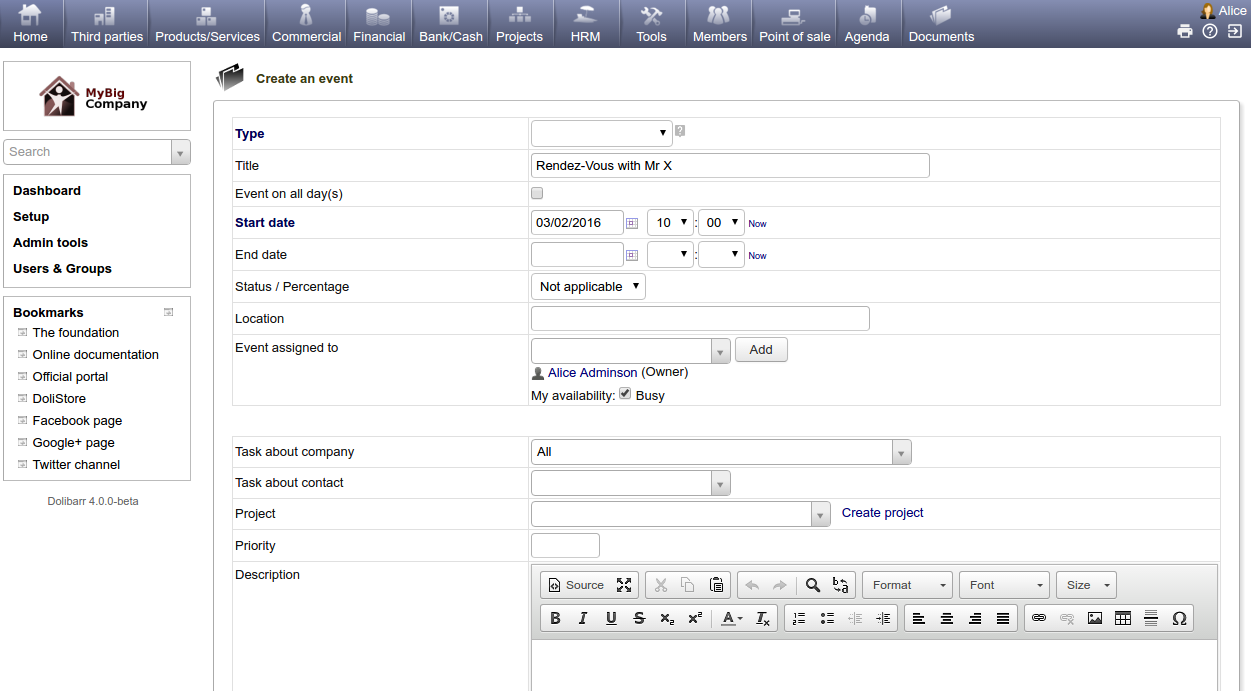
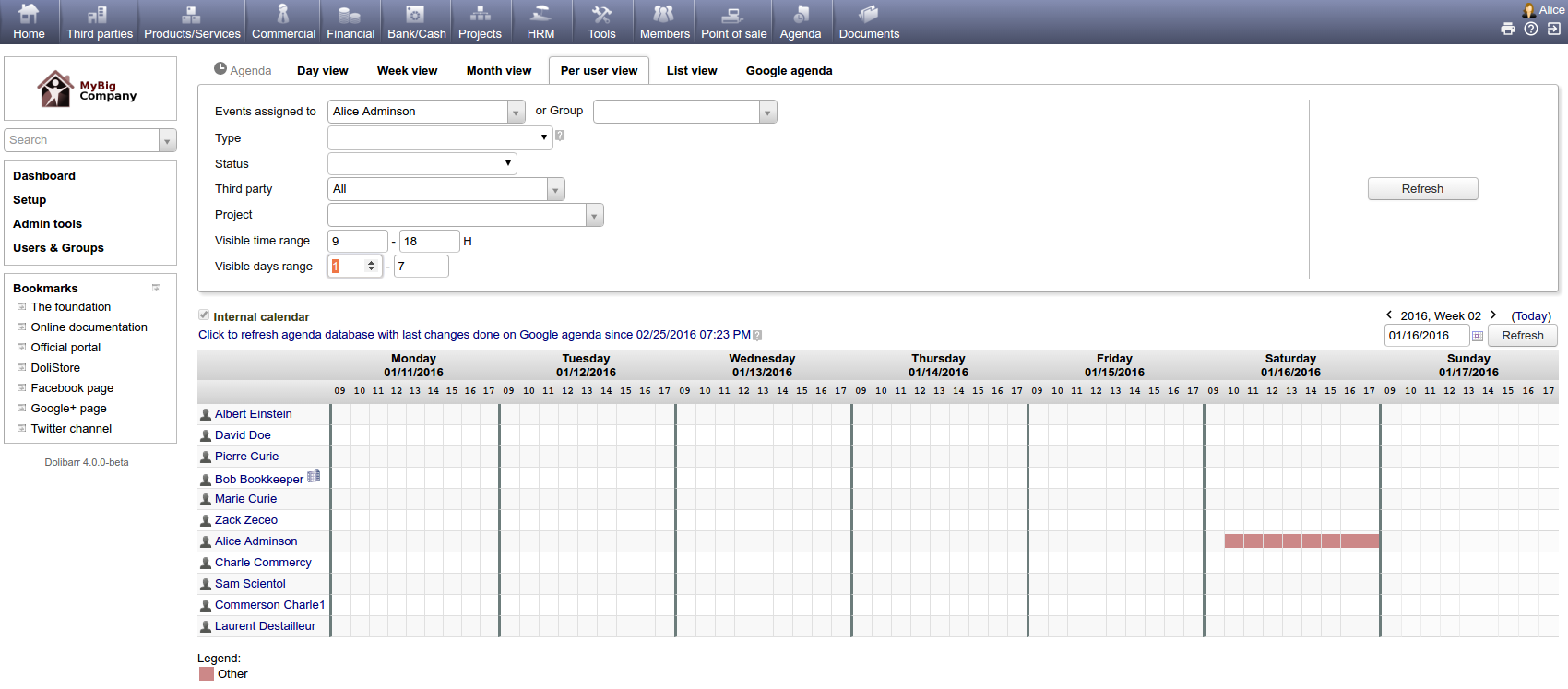
Create and manage a calendar of events with user, day, week, or month views.
Customization
Define custom event types and add extra fields to events.
Cross-module linking
Link events to specific projects, third parties, and contacts.
External calendars
Display external calendars by importing their iCal URLs.
Time tracking
Log time spent on events or tasks, with options for real-time or calendar-based entry.
Workflow integration
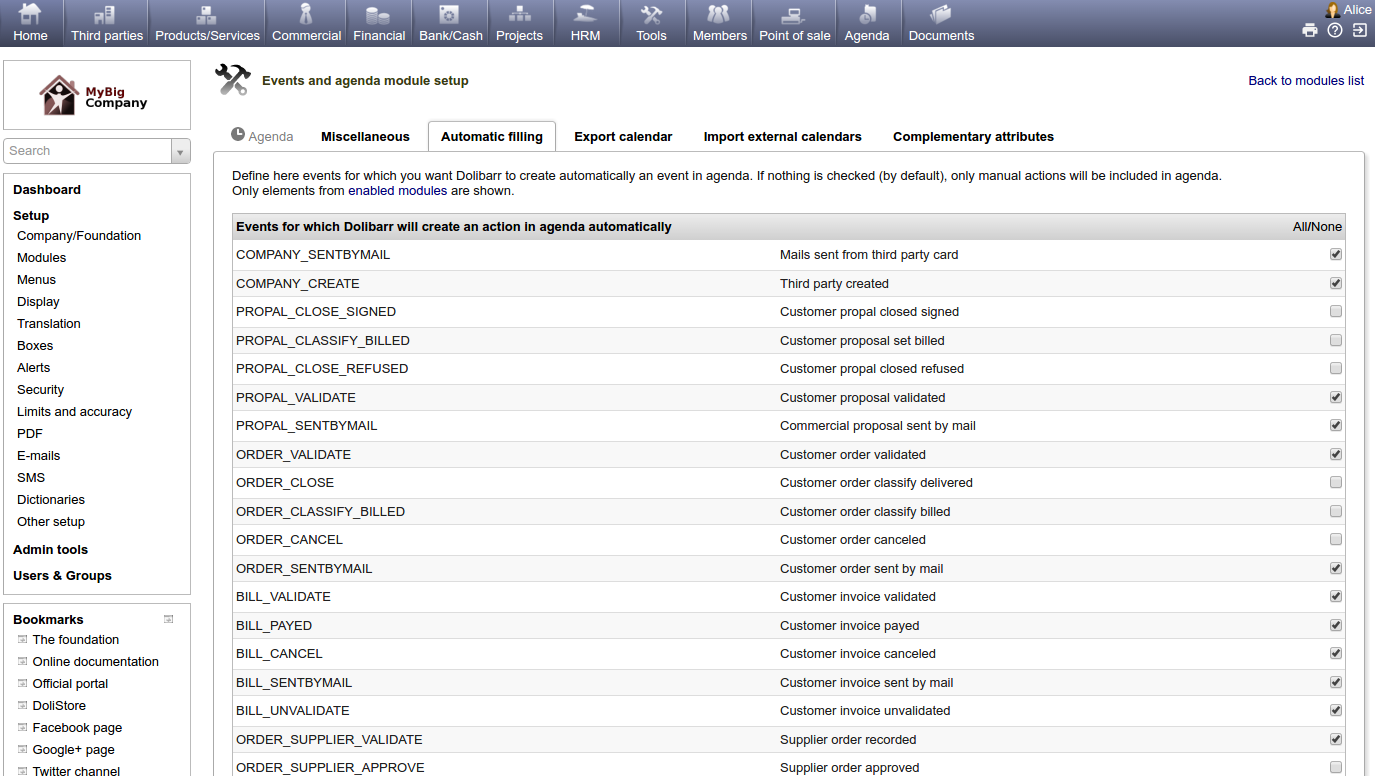
Automatically populate the agenda with events from other Dolibarr workflows.
Resource management
Link resources to events, though manual resource availability checks may be required (if the Resources module is activated).
Export options
Export calendar events in formats like vcal, iCal, or RSS.
Create and manage a calendar of events with user, day, week, or month views.
Customization
Define custom event types and add extra fields to events.
Cross-module linking
Link events to specific projects, third parties, and contacts.
External calendars
Display external calendars by importing their iCal URLs.
Time tracking
Log time spent on events or tasks, with options for real-time or calendar-based entry.
Workflow integration
Automatically populate the agenda with events from other Dolibarr workflows.
Resource management
Link resources to events, though manual resource availability checks may be required (if the Resources module is activated).
Export options
Export calendar events in formats like vcal, iCal, or RSS.
#14
Interventions / Interventions
Last post by admin - Nov 04, 2025, 02:59 PMIntervention creation
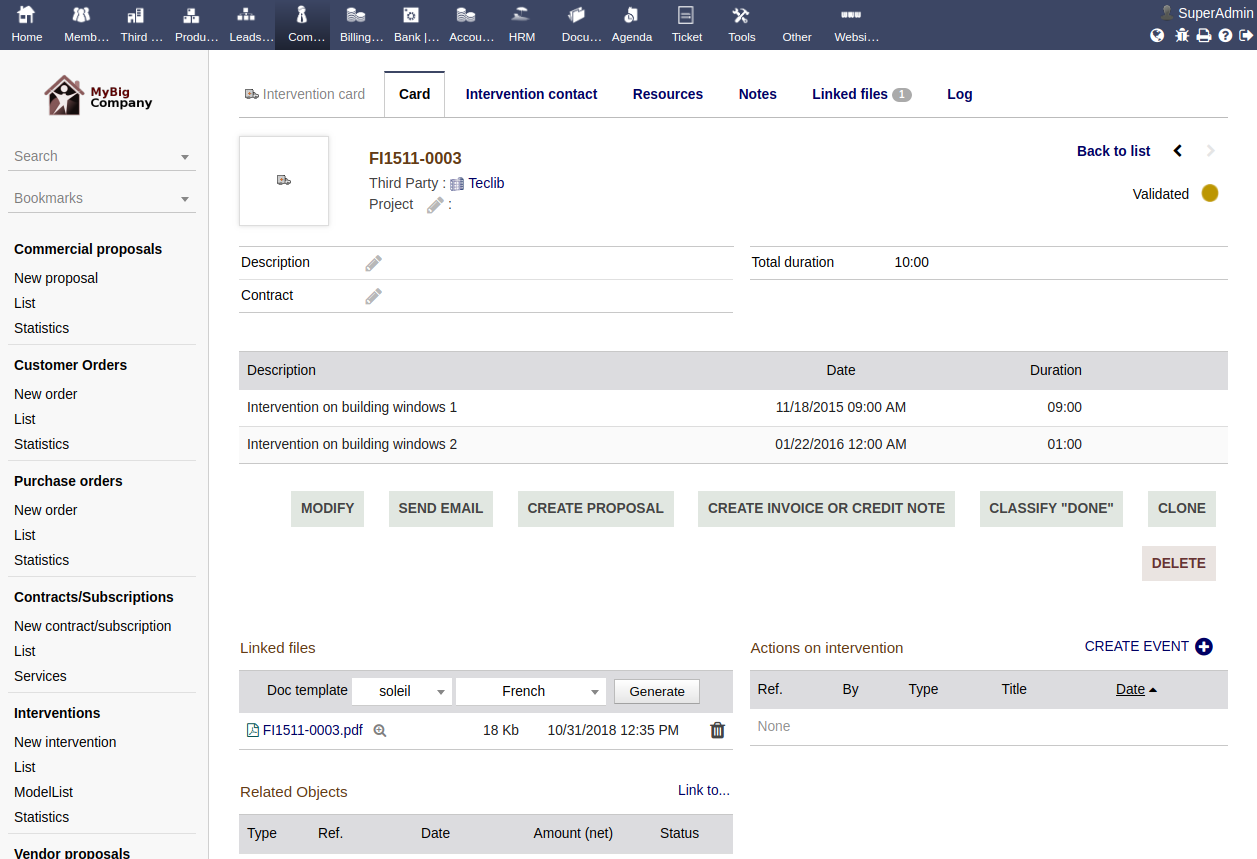
Create detailed intervention records with specific lines for comments, dates, and durations.
Project and order linking
Associate interventions with specific projects, customer orders, or commercial proposals for comprehensive tracking.
Invoicing
Convert completed interventions directly into invoices to bill customers for services rendered.
Event tracking
Link interventions to events on the Dolibarr agenda.
Customer-specific tracking
Keep a record of activities performed for each customer, including linking them to contracts.
Create detailed intervention records with specific lines for comments, dates, and durations.
Project and order linking
Associate interventions with specific projects, customer orders, or commercial proposals for comprehensive tracking.
Invoicing
Convert completed interventions directly into invoices to bill customers for services rendered.
Event tracking
Link interventions to events on the Dolibarr agenda.
Customer-specific tracking
Keep a record of activities performed for each customer, including linking them to contracts.
#15
Opportunities, Projects & Tasks / Opportunities, Projects & Task...
Last post by admin - Nov 04, 2025, 02:52 PMOpportunity and project management
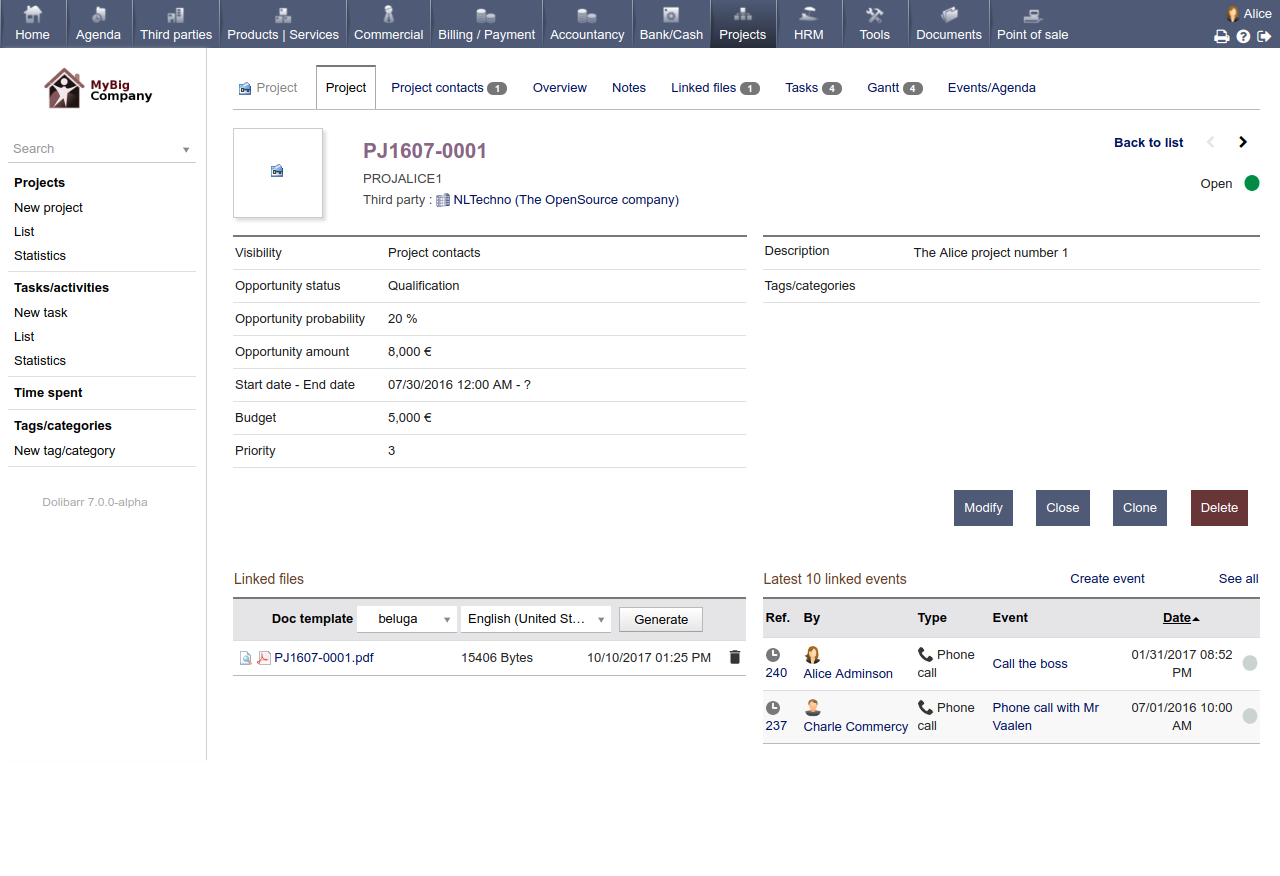
Track leads and opportunities, and manage internal or customer projects, linking them to other Dolibarr objects like proposals, orders, and invoices.
Task breakdown and assignment
Create projects with a hierarchy of tasks and subtasks, assigning them to specific users or groups to define responsibilities and deadlines.
Progress tracking
Monitor project and task status, compare actual progress against planned timelines, and visualize project schedules using tools like Gantt charts.
Time and expense tracking
Log time spent on tasks, which can be used for invoicing, profitability analysis, or detailed time reports by user, project, or task. It also supports expense tracking.
Document management
Attach and centralize all project-related documents and files in one place.
Automation
Automate repetitive tasks, such as auto-generating standard tasks when a new order is created or sending alerts for overdue deadlines.
Customization
Customize the module by adding custom fields to capture specific business information relevant to your projects.
Financial linking
Link financial elements like proposals, orders, and invoices directly to projects for a complete financial overview.
Track leads and opportunities, and manage internal or customer projects, linking them to other Dolibarr objects like proposals, orders, and invoices.
Task breakdown and assignment
Create projects with a hierarchy of tasks and subtasks, assigning them to specific users or groups to define responsibilities and deadlines.
Progress tracking
Monitor project and task status, compare actual progress against planned timelines, and visualize project schedules using tools like Gantt charts.
Time and expense tracking
Log time spent on tasks, which can be used for invoicing, profitability analysis, or detailed time reports by user, project, or task. It also supports expense tracking.
Document management
Attach and centralize all project-related documents and files in one place.
Automation
Automate repetitive tasks, such as auto-generating standard tasks when a new order is created or sending alerts for overdue deadlines.
Customization
Customize the module by adding custom fields to capture specific business information relevant to your projects.
Financial linking
Link financial elements like proposals, orders, and invoices directly to projects for a complete financial overview.
#16
Membership Management / Membership Management
Last post by admin - Nov 04, 2025, 01:52 PMMember profiles
Create and manage detailed profiles with contact information, status, and custom fields for specific member data.
Membership types and periods
Define different member levels (e.g., student, corporate, volunteer) and set up membership periods with start and end dates.
Renewals and reminders
Track memberships that are nearing expiration and send automated email reminders to members to encourage renewal.
Payment management
Automate the generation of invoices for membership fees, track payments, and manage payments online through integrations with services like PayPal or Stripe.
Communication
Send targeted emails or newsletters to members based on their type or other criteria using the integrated emailing module.
Online access
Provide a public registration page for new members and allow members to view and update their own information through a public interface.
Financial tracking
Track payment histories and generate financial reports for income and expenses related to memberships.
Create and manage detailed profiles with contact information, status, and custom fields for specific member data.
Membership types and periods
Define different member levels (e.g., student, corporate, volunteer) and set up membership periods with start and end dates.
Renewals and reminders
Track memberships that are nearing expiration and send automated email reminders to members to encourage renewal.
Payment management
Automate the generation of invoices for membership fees, track payments, and manage payments online through integrations with services like PayPal or Stripe.
Communication
Send targeted emails or newsletters to members based on their type or other criteria using the integrated emailing module.
Online access
Provide a public registration page for new members and allow members to view and update their own information through a public interface.
Financial tracking
Track payment histories and generate financial reports for income and expenses related to memberships.
#17
Recruitment / Employee Recruitment
Last post by admin - Nov 04, 2025, 01:44 PMJob position management
Create and define job offers or positions within the company.
Public job board
Publish an open jobs page for candidates to see available positions.
Application tracking
Record and monitor all candidate applications, updating their status through a recruitment process.
CV and cover letter management
Store and manage candidate CVs and cover letters directly within the module.
Email collector
Automatically capture applications and email correspondence from a designated email address to create new candidate records.
Advanced features
Advanced search
Find candidates based on criteria like professional experience, education, skills, or location.
Automatic indexing
Index candidate profiles automatically for more efficient searching.
Custom fields
Add custom fields to the "Positions" and "Application" forms to adapt the module to specific business needs.
Create and define job offers or positions within the company.
Public job board
Publish an open jobs page for candidates to see available positions.
Application tracking
Record and monitor all candidate applications, updating their status through a recruitment process.
CV and cover letter management
Store and manage candidate CVs and cover letters directly within the module.
Email collector
Automatically capture applications and email correspondence from a designated email address to create new candidate records.
Advanced features
Advanced search
Find candidates based on criteria like professional experience, education, skills, or location.
Automatic indexing
Index candidate profiles automatically for more efficient searching.
Custom fields
Add custom fields to the "Positions" and "Application" forms to adapt the module to specific business needs.
#18
Timesheets / Time Sheet Entry
Last post by admin - Nov 04, 2025, 01:38 PMTime entry
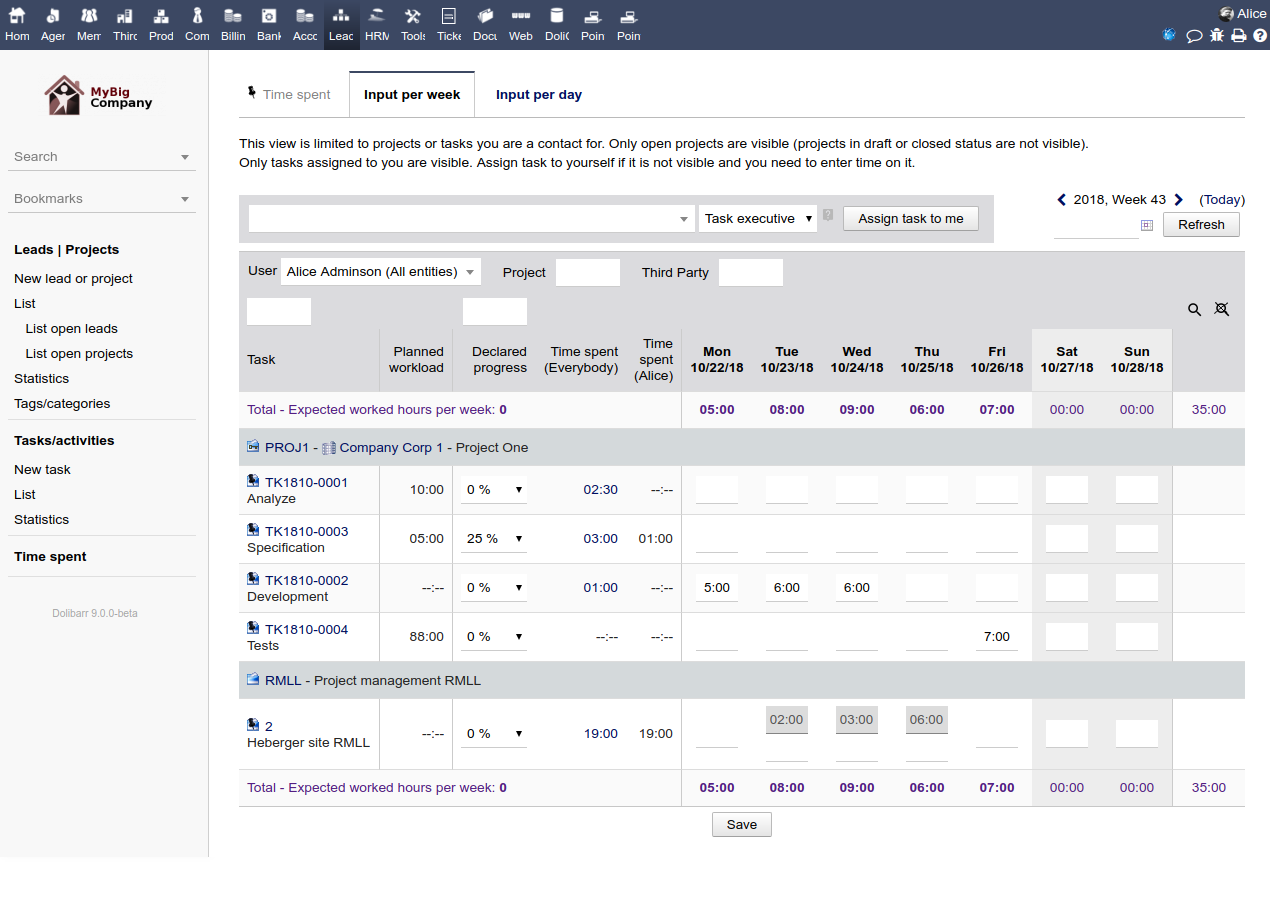
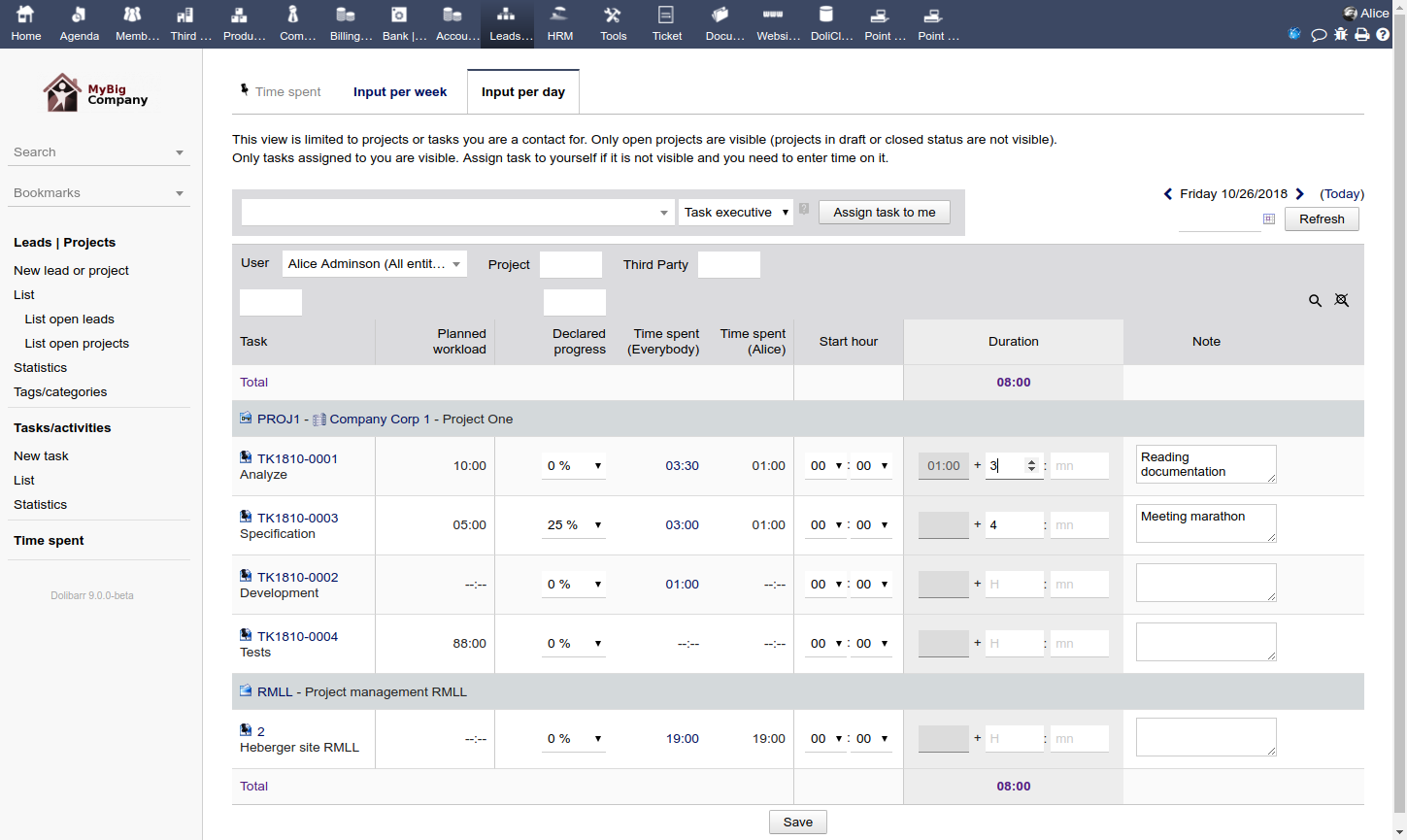
Users can log hours worked on specific tasks or projects through a user-friendly interface, with options for daily or weekly views.
WEEK
DAY
Project and task tracking
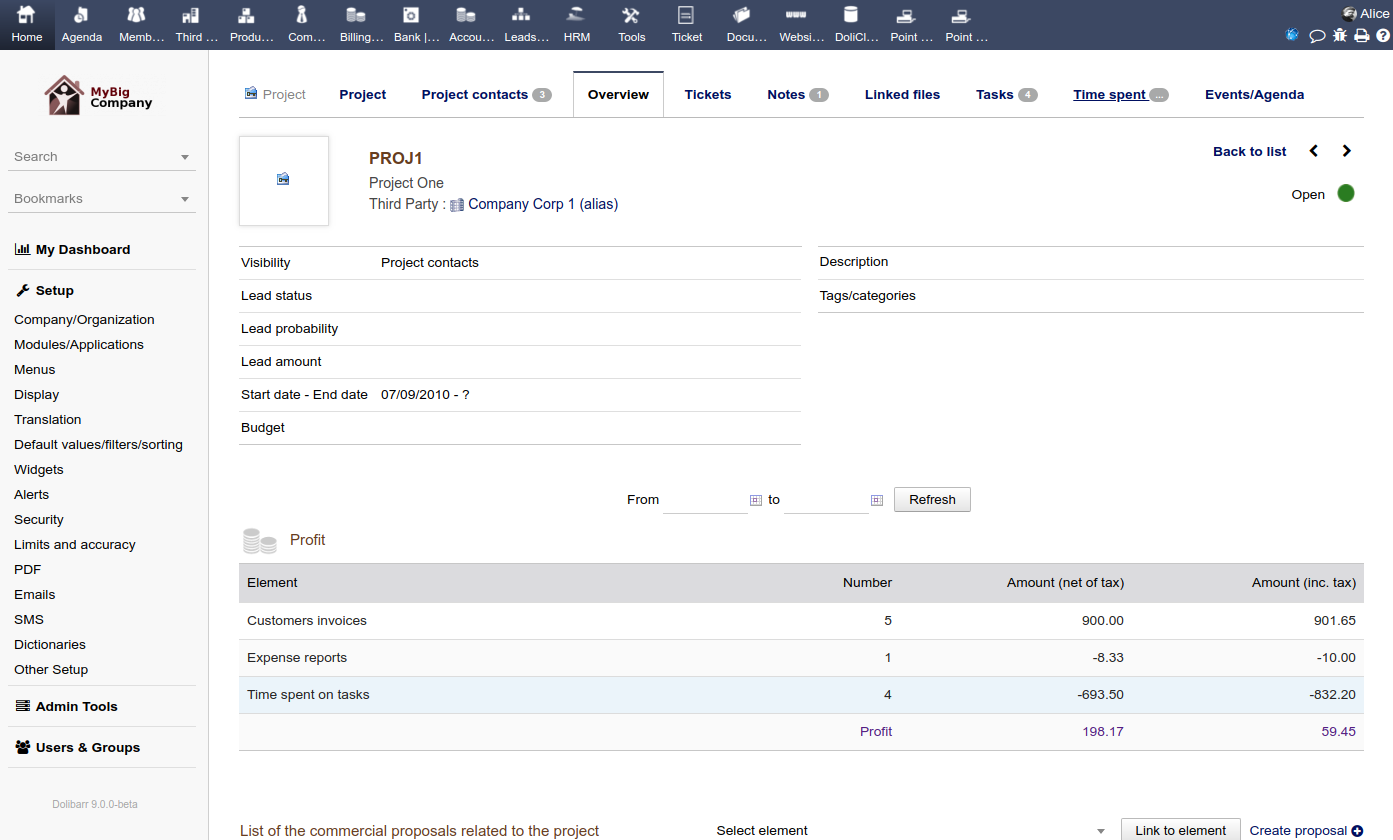
The module calculates the time spent on each project and task, providing visibility into workload and resource allocation.
Approval workflow
Timesheets can be submitted for approval by a manager or team lead, ensuring accuracy before processing.
Reporting
Generate detailed reports on worked hours and project profitability. For projects with an assigned hourly rate, time logged is automatically converted to currency.
Customization
The module's layout and other settings, such as which projects are displayed, can be customized to fit specific needs.
Holiday display
Holidays are shown directly on the timesheet page for a clear overview of working days.
Integration with other modules
Project management
Links logged hours directly to projects, helping to monitor project costs and identify potential delays due to staffing issues.
Payroll
Connects time tracking data with the payroll module for accurate salary calculations based on hours worked.
Invoicing
Create client invoices directly from project reports and logged time spent.
Users can log hours worked on specific tasks or projects through a user-friendly interface, with options for daily or weekly views.
WEEK
DAY
Project and task tracking
The module calculates the time spent on each project and task, providing visibility into workload and resource allocation.
Approval workflow
Timesheets can be submitted for approval by a manager or team lead, ensuring accuracy before processing.
Reporting
Generate detailed reports on worked hours and project profitability. For projects with an assigned hourly rate, time logged is automatically converted to currency.
Customization
The module's layout and other settings, such as which projects are displayed, can be customized to fit specific needs.
Holiday display
Holidays are shown directly on the timesheet page for a clear overview of working days.
Integration with other modules
Project management
Links logged hours directly to projects, helping to monitor project costs and identify potential delays due to staffing issues.
Payroll
Connects time tracking data with the payroll module for accurate salary calculations based on hours worked.
Invoicing
Create client invoices directly from project reports and logged time spent.
#19
Leave Requests / Leave Requests
Last post by admin - Nov 02, 2025, 06:28 PMOnline request submission
Employees can submit leave requests through the user interface, specifying leave types (e.g., paid, sick, unpaid), dates, and other details.
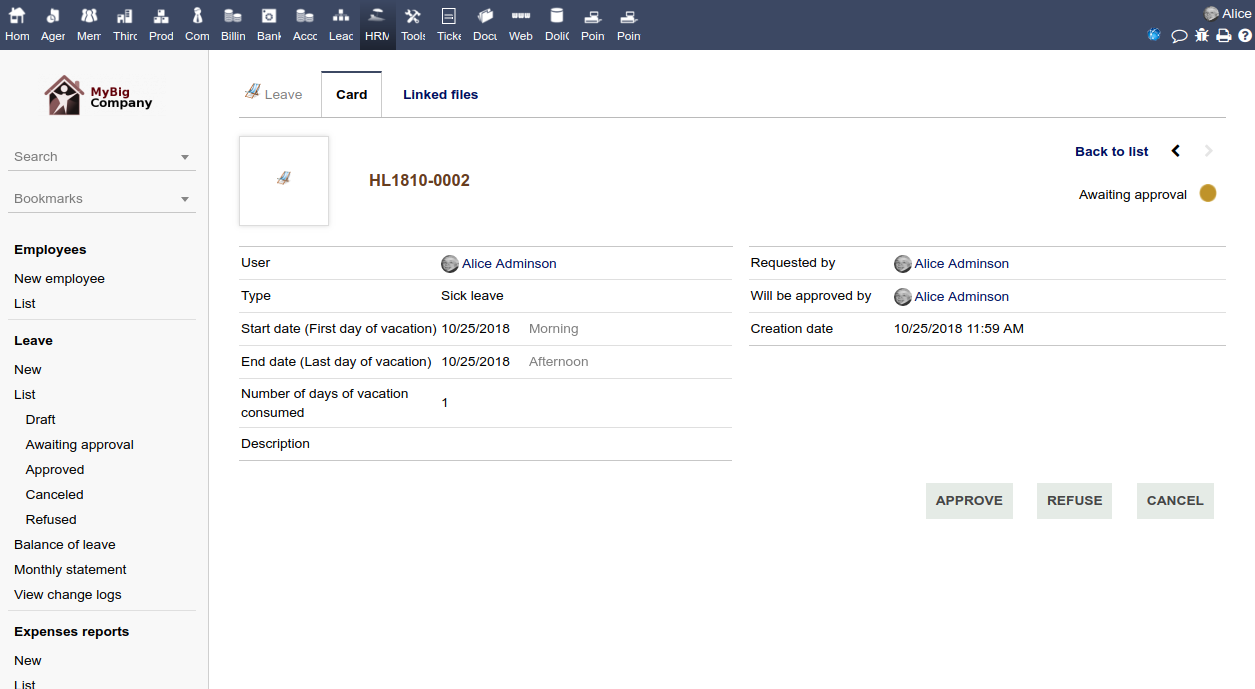
Automated approval workflow
Requests are sent to a supervisor or another designated user for approval via email notifications. Multiple approval levels can be configured for more complex organizations.
Real-time balance tracking
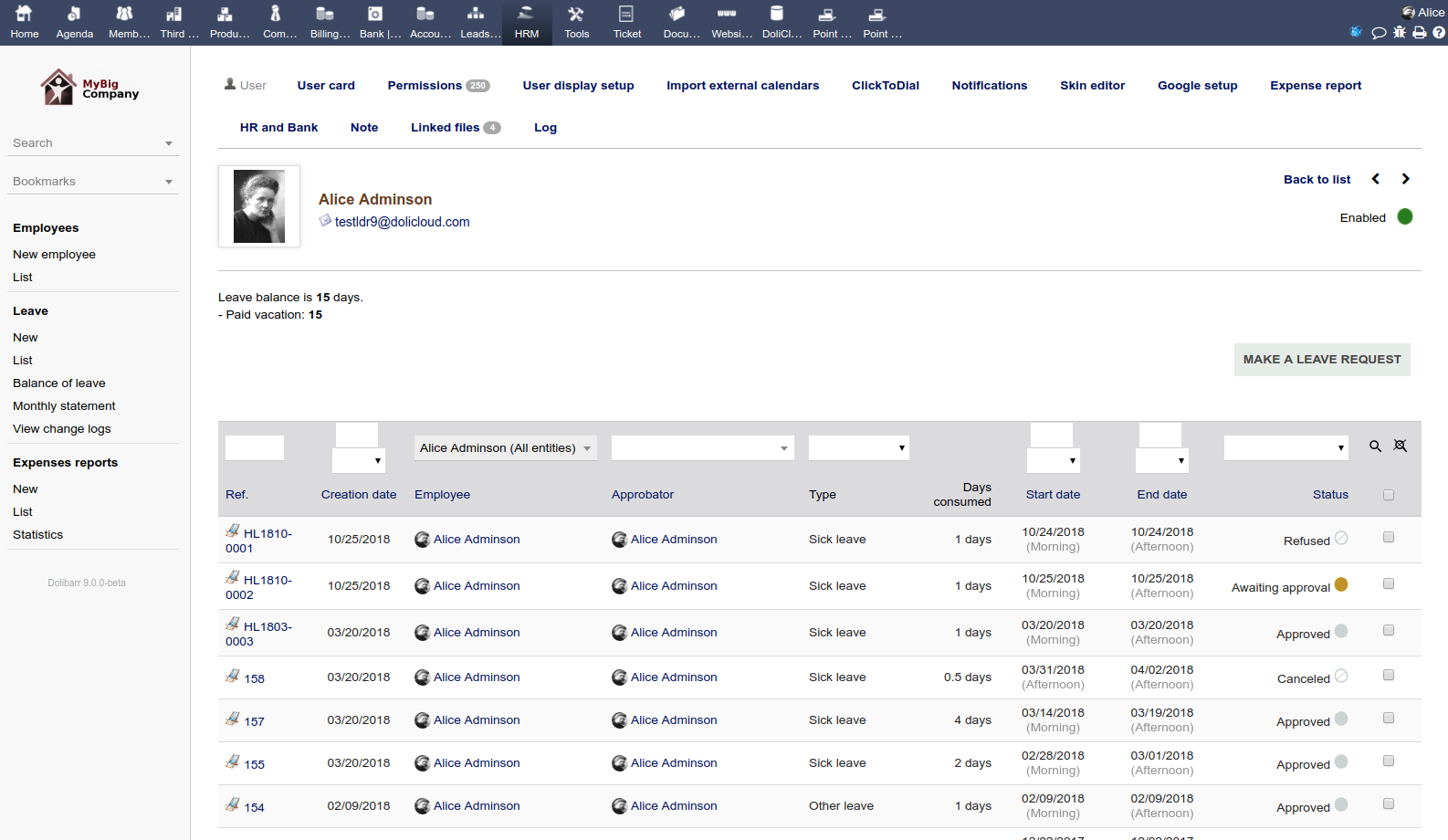
The system automatically calculates and updates an employee's remaining leave balance once a request is approved.
History and traceability
All leave requests, statuses, and balance changes are logged, providing a complete and transparent history for both employees and managers.
Customizable leave types
Companies can define and manage various types of leave, including specific holidays.

Integration with other modules
The module integrates with other Dolibarr HR functions, such as payroll and attendance tracking, to ensure accurate time-off management and fair compensation.
#20
Expense Reports / Expense Reports Management
Last post by admin - Nov 02, 2025, 04:53 PMEmployee submission
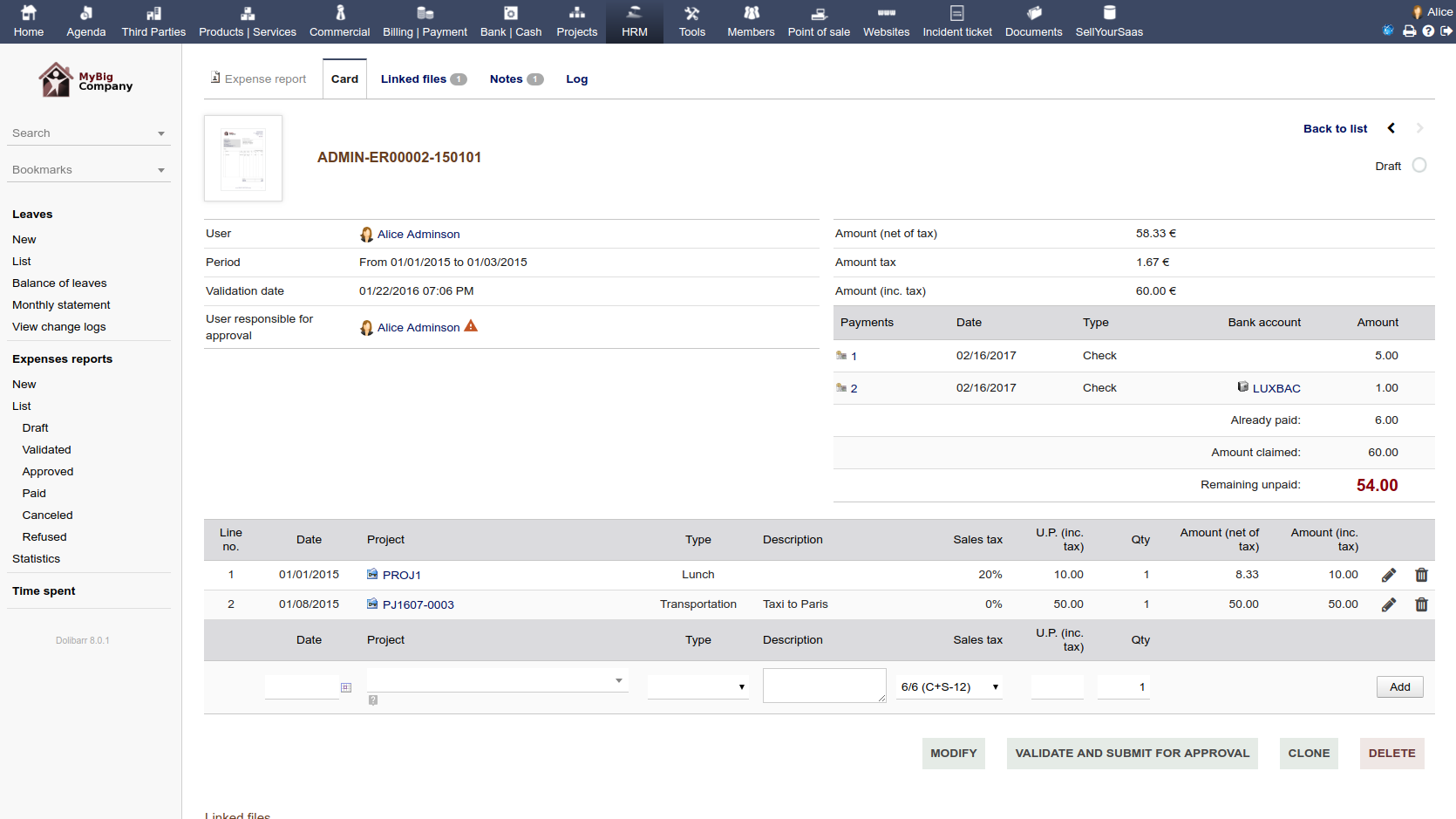
Employees can create, edit, and submit expense reports, including attaching digital copies of receipts, bills, or other proof of purchase.
Approval workflow
A structured approval process allows supervisors to receive notifications and validate expense reports, with a clear path for them to be approved or denied.
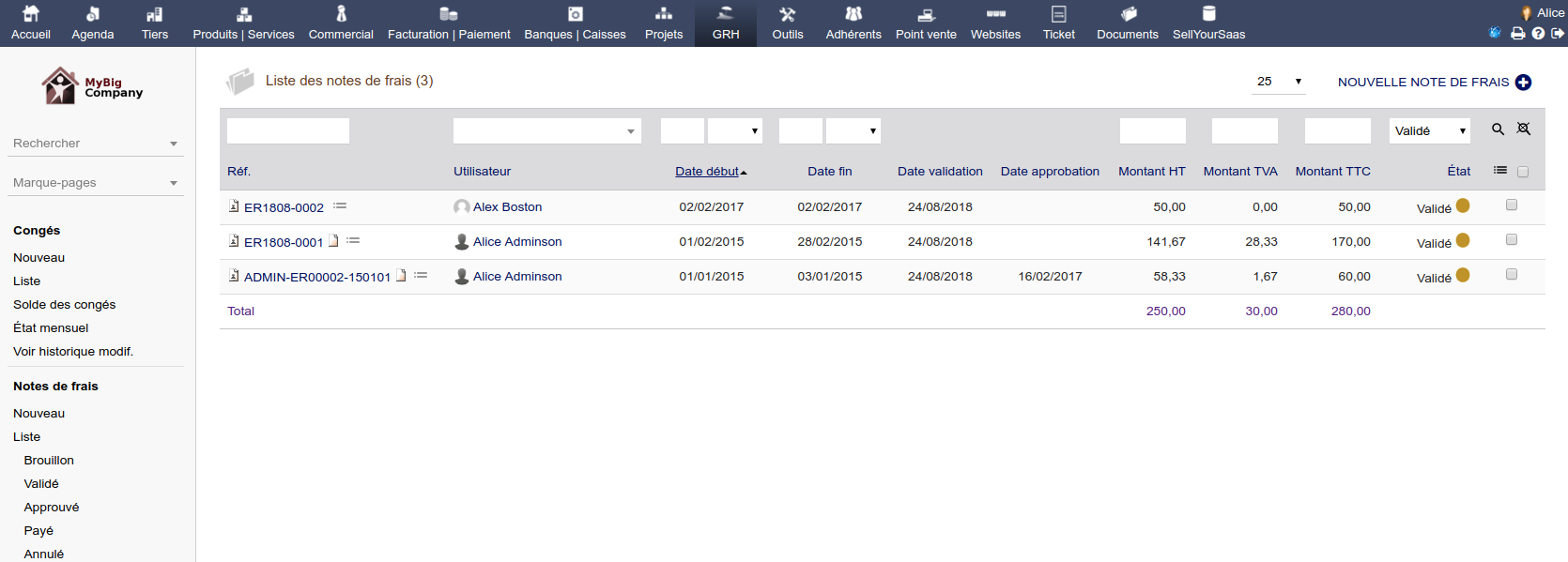
Payment processing
Bookkeepers can process payments for approved reports, and the status can be updated to "paid".
Project/cost center linking
Reports can be linked to specific projects or cost centers, providing better visibility into spending for different business areas.
Accounting integration
The module can be configured to link expenses to specific accounting codes, which helps ensure accurate and detailed accounting and can trigger accounting entries upon final payment.
Customization
The module allows for the creation of different types of expense report templates and can be customized to fit a company's specific needs.
Status lifecycle
Expense reports go through a clear lifecycle of statuses, from Draft to Validated, Approved, Enter payment, and finally Paid or Denied.